Category: Email Marketing

  • The Question Isn’t “Which Email Tool Is Best?” — It’s Why This Choice Feels So Confusing in the First Place

    The Question Isn’t “Which Email Tool Is Best?” — It’s Why This Choice Feels So Confusing in the First Place

    If you’ve ever searched for the best email tool for small businesses, you probably noticed something unsettling:
    Every option looks… fine.

    Clean dashboards. Similar promises. Comparable pricing tables. Confident claims that this tool will “grow your list,” “boost engagement,” or “simplify automation.”

    And yet, the decision doesn’t feel simple.

    Instead, it feels strangely heavy, like choosing wrong will quietly cost you time, money, and momentum you can’t afford to lose.

    Most small business owners assume this confusion exists because they haven’t researched enough.
    In reality, the confusion exists because the assumption behind the decision is flawed.

    The Silent Frustration No One Talks About

    You’re not new to email marketing.
    You understand it matters. You’ve probably used at least one platform already.

    But something never quite clicked.

    • Campaigns feel harder than they should
    • Features sound powerful but stay unused
    • Support is slow, vague, or missing when you actually need it
    • Pricing rises just as your list starts growing
    • You wonder if you’re the problem, not the tool

    What makes this frustrating is that nothing is technically broken.

    The emails send.
    The software works.
    The platform does what it promised on paper.

    So why does it feel like pushing a shopping cart with one crooked wheel?

    The Comforting Belief That Keeps You Stuck

    Most small business owners hold a quiet belief:

    “All email marketing tools are basically the same. I just need to pick one and use it better.”

    It’s a reasonable belief.
    The industry encourages it.

    Comparison articles flatten everything into feature checklists.
    Review sites reduce complexity to star ratings.
    Marketers talk about “email tools” as if they’re interchangeable utilities.

    This belief feels safe because it removes the pressure of choosing wisely.
    If all tools are equal, the choice doesn’t really matter.

    But this belief also explains why so many small businesses feel underwhelmed by their results.

    Why Your Current Approach Isn’t Working (And It’s Not Your Fault)

    The problem isn’t that you chose the “wrong” tool.

    The problem is that you were taught to evaluate email platforms as software, not as systems.

    Most tools are reviewed based on:

    • Number of features
    • Price tiers
    • Popularity
    • Brand recognition

    But small businesses don’t struggle because they lack features.

    They struggle because of misalignment.

    Misalignment between:

    • Complexity and available time
    • Automation power and clarity
    • Cost structure and growth reality
    • Support depth and real-world needs

    When a tool isn’t aligned with how your business actually operates, every task requires extra mental energy.

    And mental energy is the most expensive resource you have.

    The Question You Were Never Told to Ask

    Instead of asking:

    “Which email tool is best?”

    A more useful question is:

    “What kind of email system matches the way my business grows?”

    This subtle shift changes everything.

    Because email tools are not neutral.
    They are opinionated systems built around assumptions:

    • How fast you’ll scale
    • How technical you are
    • How much support you need
    • How complex your funnels will become
    • How sensitive you are to rising costs

    Some tools assume you have a team.
    Others assume you have time to learn.
    Many assume you’ll accept limitations until you “upgrade.”

    Small businesses often fall into the cracks between these assumptions.

    Why “Feature Parity” Is a Dangerous Illusion

    On the surface, most platforms look similar:

    • Email campaigns
    • Automations
    • Lists and tags
    • Analytics dashboards

    But how these features are designed matters more than whether they exist.

    Two platforms can offer “automation” and create entirely different experiences:

    • One feels intuitive and confidence-building
    • The other feels fragile, confusing, and easy to break

    This is where many small business owners get stuck.

    They don’t realize that a lack of skill doesn’t cause friction; it’s caused by tools that were never designed for their stage of business.

    The Hidden Cost of the “Any Tool Will Do” Mindset

    When an email platform doesn’t fit, the cost rarely shows up as an obvious expense.

    It shows up as:

    • Campaigns you delay sending
    • Ideas you never implement
    • Automations you avoid building
    • Growth you postpone until “later”

    The tool quietly shapes your behavior.

    And over time, you adapt your ambitions to the limits of the system — without realizing that’s what you’re doing.

    This is how small businesses plateau without knowing why.

    A Different Way to Think About Email Tools

    Here’s the reframe that changes everything:

    The best email tool isn’t the one with the most features.
    It’s the one that removes the most friction for your specific reality.

    That reality usually includes:

    • Limited time
    • A need for clarity, not complexity
    • Budget sensitivity as your list grows
    • A desire to scale without rebuilding everything later
    • Real human support when things get confusing

    When evaluated through this lens, tools stop looking identical.

    Their design philosophies become visible.

    Where GetResponse Quietly Enters the Conversation

    When small business owners start thinking this way, something interesting happens.

    They stop asking, “What can this tool do?”
    And start asking, “How does this tool think?”

    This is often where GetResponse begins to stand out, not because it shouts louder, but because its structure reflects a different assumption:

    That small businesses don’t want ten disconnected tools.
    They want one coherent system that grows with them.

    Without selling anything, it’s worth noticing:

    • It treats email as part of a broader communication system
    • It assumes you’ll want automation without becoming technical
    • It offers depth without forcing early complexity
    • Its pricing reflects growth, not punishment for success

    This doesn’t make it “the best” for everyone.

    But it makes it aligned for many small businesses who feel unseen by other platforms.

    The Real Comparison Isn’t GetResponse vs Others

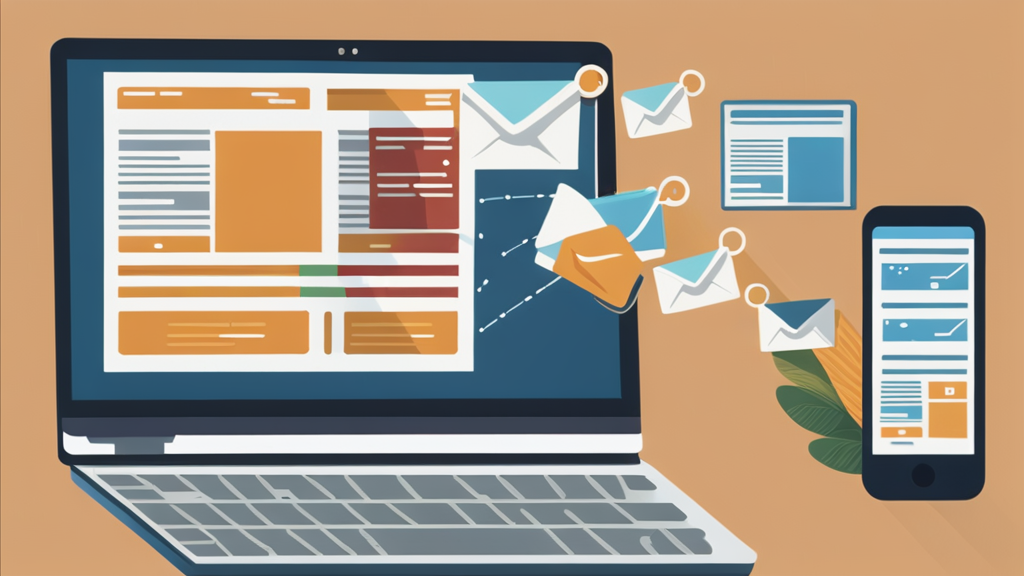
    Best email tool for small businesses visualized through a calm, simplified email marketing dashboard emphasizing alignment and ease of use

    The real comparison is:

    Tools that demand adaptation from you
    vs
    Tools that adapt to you

    Most platforms quietly expect small businesses to grow into them.

    A few are built to grow with them.

    Once you see this distinction, comparison tables lose their power.

    You stop obsessing over tiny differences and start noticing:

    • Where you feel mentally lighter
    • Where ideas flow instead of stall
    • Where sending an email feels normal, not draining

    These are not technical metrics; they are psychological ones.

    And they matter more than most people admit.

    Why This Shift Makes Future Decisions Easier

    The moment you release the belief that “all email tools are the same,” something changes.

    You stop blaming yourself.
    You stop forcing mismatched systems to work.
    You stop minimizing friction as “just part of the process.”

    Instead, you begin evaluating tools the same way you evaluate partnerships:

    • Do they support how I work?
    • Do they respect my constraints?
    • Do they scale without stress?

    From this perspective, choosing an email platform becomes less about features — and more about trust.

    A Subtle Change That Alters Everything

    This isn’t about declaring one tool superior.

    It’s about recognizing that tools shape outcomes not through features, but through alignment.

    Once you see that:

    • Confusion makes sense
    • Frustration becomes information
    • And choosing differently feels natural, not risky

    The question “GetResponse vs others” stops being a debate.

    It becomes a reflection.

    And that reflection often leads small business owners to a calmer realization:

    The right email tool doesn’t push harder.
    It fits better.

    That insight doesn’t force a decision today.
    But it permanently changes how future decisions feel.

    And once your perspective shifts, the right choice tends to reveal itself quietly, confidently, and without pressure.

  • GetResponse vs Mailchimp vs ActiveCampaign vs ConvertKit: Which Is Best?

    GetResponse vs Mailchimp vs ActiveCampaign vs ConvertKit: Which Is Best?

    If you’re trying to choose the right email marketing platform, you’ve probably found yourself comparing GetResponse vs Mailchimp, ActiveCampaign, and ConvertKit.

    All four are popular—but they’re built for different types of users.

    In this comparison, we’ll break down features, ease of use, automation, pricing value, and ideal use cases so you can confidently decide which platform is best for your business.

    Quick Overview of Each Platform

    Before diving deeper, here’s what each tool is known for:

    • GetResponse – All-in-one email marketing, automation, funnels, and webinars
    • Mailchimp – Well-known brand, basic email marketing, limited automation
    • ActiveCampaign – Powerful automation, steeper learning curve
    • ConvertKit – Creator-focused email marketing with simple automation

    Ease of Use: Which Platform Is Beginner-Friendly?

    🥇 GetResponse

    GetResponse is designed for non-technical users. Its drag-and-drop editors, visual automation builder, and AI-powered email creator make it easy for beginners to launch campaigns quickly.

    Best for: Solopreneurs, small businesses, coaches

    🥈 Mailchimp

    Mailchimp is easy to start with but becomes restrictive as your needs grow. Many features require upgrades, and automation is fairly limited.

    Best for: Very small lists, simple newsletters

    🥉 ConvertKit

    ConvertKit is clean and minimal, but less flexible when it comes to design and funnels. Great for creators—but not ideal for broader marketing needs.

    Best for: Bloggers, content creators

    🟥 ActiveCampaign

    ActiveCampaign is powerful but complex. Beginners often feel overwhelmed by its interface and setup requirements.

    Best for: Advanced marketers, agencies

    Automation & Funnels: Where GetResponse Stands Out

    Email marketing automation and sales funnels in GetResponse compared to competitors

    GetResponse Automation

    GetResponse offers a visual automation builder that lets you:

    • Send emails based on behavior
    • Tag and segment subscribers
    • Build full sales funnels
    • Automate lead nurturing and promotions

    👉 You can also build conversion funnels (opt-in → emails → offer) without third-party tools.

    ActiveCampaign Automation

    ActiveCampaign is the most advanced—but also the most complicated. You’ll need time (or help) to set things up correctly.

    Mailchimp & ConvertKit Automation

    • Mailchimp: Basic automation only
    • ConvertKit: Simple sequences, limited logic

    Neither matches GetResponse’s balance of power + usability.

    Email Design & Creation

    • GetResponse: Modern templates, drag-and-drop editor, AI copy assistance
    • Mailchimp: Good templates, but design freedom is limited on lower plans
    • ConvertKit: Minimalist design (mostly text-based emails)
    • ActiveCampaign: Functional but not beginner-friendly

    If branding and professional design matter, GetResponse leads.

    List Building & Lead Generation Tools

    GetResponse Includes:

    • Signup forms & popups
    • Landing pages
    • Lead magnet funnels
    • Built-in analytics

    Competitors:

    • Mailchimp: Basic forms, limited landing pages
    • ConvertKit: Forms + landing pages, fewer customization options
    • ActiveCampaign: Requires integrations or extra setup

    👉 GetResponse consolidates multiple tools into a single platform.

    Webinars & All-in-One Features (Major Advantage)

    Only GetResponse includes built-in webinar hosting, making it ideal for:

    • Coaches
    • Course creators
    • Consultants
    • Affiliate marketers

    None of the other platforms offer this natively.

    Pricing & Overall Value

    While exact pricing varies by list size, here’s the key takeaway:

    • GetResponse offers the best value for small businesses because it bundles premium features together.
    • Mailchimp becomes expensive as you grow.
    • ActiveCampaign is costly for advanced features.
    • ConvertKit charges more for fewer tools.

    💡 When you factor in funnels, automation, and webinars, GetResponse is more cost-effective overall.

    FeatureGetResponseMailchimpActiveCampaignConvertKit
    Beginner-Friendly
    Advanced Automation⚠️
    Funnels & Landing Pages⚠️⚠️⚠️
    Webinars
    All-in-One Platform
    Best for SMBs⚠️⚠️

    Which Email Marketing Tool Should You Choose?

    If you want:

    • Powerful automation without complexity
    • One platform instead of multiple tools
    • Email marketing that actually drives revenue

    👉 GetResponse is the best choice for small businesses and solopreneurs.

    Mailchimp works for basic needs, ConvertKit is solid for creators, and ActiveCampaign is great for advanced users—but GetResponse delivers the best balance of features, ease of use, and value.

    🚀 Ready to Try GetResponse?

    You can create a free GetResponse account and explore its features before committing.

    👉 Try GetResponse Free Today and see why so many small businesses are switching.

    Relevant Resources

    If you’d like to explore email marketing and automation in more depth, these trusted resources can help you make smarter platform decisions. The GetResponse Marketing Resources section offers practical guides, tutorials, and benchmarks directly related to email marketing and automation.

    For broader comparisons and best practices across tools like Mailchimp and ActiveCampaign, EmailToolTester provides independent reviews and deliverability research.

    Frequently Asked Questions: GetResponse vs Mailchimp vs ActiveCampaign vs ConvertKit

    1. Which is better: GetResponse or Mailchimp?

    GetResponse is better for businesses that want automation, funnels, and list growth tools in one platform. Mailchimp is more suitable for basic newsletters but lacks advanced automation and sales-focused features.

    2. How does GetResponse compare to ActiveCampaign?

    GetResponse offers powerful automation with a much easier learning curve, while ActiveCampaign provides deeper automation but requires more technical expertise and setup time.

    3. Is GetResponse better than ConvertKit for creators?

    GetResponse is better for creators who want to sell products, run webinars, and build funnels. ConvertKit is simpler and works well for bloggers but lacks advanced marketing and conversion tools.

    4. Which email marketing tool is best for small businesses?

    GetResponse is the best option for small businesses because it combines email marketing, automation, landing pages, funnels, and webinars at a more affordable price point.

    5. Which platform is easiest to use for beginners?

    GetResponse and ConvertKit are the easiest platforms for beginners, but GetResponse offers more growth and monetization tools as your business scales.

    6. Does GetResponse offer more features than Mailchimp?

    Yes, GetResponse includes advanced automation, conversion funnels, landing pages, and webinars—features that Mailchimp either limits or does not offer at all.

    7. Is ActiveCampaign too advanced for solopreneurs?

    ActiveCampaign can be overwhelming for solopreneurs due to its complexity. GetResponse provides similar automation capabilities in a more user-friendly format.

    8. Can GetResponse replace ConvertKit and other tools?

    Yes, GetResponse can replace ConvertKit plus additional tools by handling email marketing, list building, automation, funnels, and webinars in a single platform.

    9. Which platform offers the best value for the money?

    GetResponse offers the best overall value because it bundles premium features together, reducing the need for multiple subscriptions and lowering total marketing costs.

    10. Who should choose GetResponse over its competitors?

    Small business owners, solopreneurs, coaches, creators, and affiliate marketers should choose GetResponse if they want an all-in-one, easy-to-use platform that focuses on growth and conversions.

  • Is GetResponse Worth It for Small Businesses and Solopreneurs? An Honest Review

    Is GetResponse Worth It for Small Businesses and Solopreneurs? An Honest Review

    If you’re a small business owner or solopreneur, chances are you’ve asked yourself this question:

    “Is GetResponse worth it, or is it just another email marketing tool?”

    With so many platforms promising automation, funnels, and growth, choosing the right one can feel overwhelming, especially if you’re running your business solo.

    In this review, we’ll break down exactly what GetResponse offers, who it’s best for, and whether it’s a smart investment for small businesses and solopreneurs looking to grow revenue without adding complexity.

    Why Email Marketing Still Matters for Small Businesses

    Before diving into GetResponse specifically, let’s get one thing clear:

    👉 Email marketing remains one of the highest-ROI marketing channels available.

    For solopreneurs and small teams, email allows you to:

    • Own your audience (unlike social media)
    • Build trust over time
    • Promote products, services, and affiliate offers consistently
    • Automate follow-ups instead of chasing leads manually

    The challenge? Most platforms are either too basic or too complicated.

    That’s where GetResponse positions itself.

    What Is GetResponse?

    GetResponse is an all-in-one email marketing and automation platform designed to help businesses:

    • Grow an email list
    • Engage subscribers with personalized content
    • Convert leads into customers using automation and funnels

    Unlike tools that only focus on newsletters, GetResponse includes:

    • AI-powered email creation
    • Marketing automation workflows
    • Landing pages & signup forms
    • Conversion funnels
    • Webinars (a standout feature)
    • Ecommerce and sales tools

    All under one roof.

    Is GetResponse Easy Enough for Solopreneurs?

    GetResponse dashboard showing email marketing and automation features for small businesses

    This is one of the biggest concerns and a valid one.

    Short answer: Yes.

    GetResponse was built with non-technical users in mind. You don’t need to be a marketer or developer to get results.

    Why beginners like it:

    • Clean, intuitive dashboard
    • Drag-and-drop email and funnel builder
    • Prebuilt templates for emails, landing pages, and automations
    • AI tools that help write emails and subject lines

    Many solopreneurs use GetResponse as their first serious email platform and stick with it as they grow.

    Key Features That Make GetResponse Worth It

    Here’s where GetResponse really stands out for small businesses:

    ✅ 1. All-in-One Platform (No Tool Overload)

    Instead of paying for:

    • An email tool
    • A landing page builder
    • A funnel tool
    • A webinar platform

    You get everything in one system, which saves money and time.

    ✅ 2. Automation That Actually Grows Revenue

    GetResponse’s visual automation builder lets you:

    • Welcome new subscribers automatically
    • Segment based on behavior
    • Send targeted follow-ups
    • Promote offers at the right time

    This is especially powerful for:

    • Coaches
    • Course creators
    • Affiliate marketers
    • Service providers

    ✅ 3. Built for List Growth

    You can easily create:

    • Popups
    • Signup forms
    • Lead magnet funnels
    • Landing pages connected directly to your email list

    No integrations required.

    ✅ 4. Affordable for Small Businesses

    Compared to competitors with similar features, GetResponse is more cost-effective, especially when you consider how many tools it replaces.

    You’re not paying extra just to “unlock” basic functionality.

    Real-World Proof: Businesses That Use GetResponse

    Brands and organizations around the world rely on GetResponse to scale their marketing, including:

    • InfoShare Academy
    • Matematma
    • KRISPOL

    These success stories show that GetResponse works for both growing businesses and established brands—without enterprise-level complexity.

    Who Is GetResponse Best For?

    GetResponse is ideal if you’re:

    • A solopreneur or coach building a personal brand
    • A small business owner who wants automation without tech headaches
    • An affiliate marketer growing an email list
    • A creator who wants email + funnels + webinars in one platform

    If your goal is long-term audience ownership and consistent revenue, GetResponse is absolutely worth considering.

    Is GetResponse Worth It?

    Yes—GetResponse is worth it for small businesses and solopreneurs who want:

    • Simplicity without sacrificing power
    • Automation that actually converts
    • One affordable platform instead of multiple tools

    It’s especially valuable if you’re focused on email list growth, nurturing, and monetization.

    👉 You can try GetResponse for free and see if it fits your business before committing.
    Create your free GetResponse account today and start building smarter email campaigns.

    If you want to deepen your understanding of email marketing and online growth strategies, these trusted resources are worth exploring. GetResponse’s official marketing resources offer practical guides, templates, and tutorials on email marketing and automation.

    For broader insights into digital marketing best practices, HubSpot’s Marketing Blog provides well-researched articles on list building, conversion optimization, and customer engagement.

    You may also find Smart Passive Income useful for learning how solopreneurs and small businesses monetize audiences through email and online products.

    Frequently Asked Questions About GetResponse

    1. Is GetResponse worth it for small businesses?

    Yes, GetResponse is worth it for small businesses because it combines email marketing, automation, landing pages, and funnels into one affordable, easy-to-manage platform designed to drive growth.

    2. Is GetResponse good for solopreneurs and one-person businesses?

    GetResponse is ideal for solopreneurs because it allows one person to automate email campaigns, lead nurturing, and sales funnels without needing technical skills or multiple tools.

    3. How easy is GetResponse to use for beginners?

    GetResponse is beginner-friendly, offering a clean dashboard, drag-and-drop editors, AI-powered email creation, and prebuilt templates that make setup fast and simple.

    4. What email marketing features does GetResponse offer?

    GetResponse includes professional email templates, list segmentation, autoresponders, AI email writing tools, analytics, and deliverability optimization to improve open and click rates.

    5. Does GetResponse include marketing automation?

    Yes, GetResponse includes a visual automation builder that lets users send personalized emails based on subscriber actions, behavior, and engagement—without manual follow-ups.

    6. Can GetResponse replace multiple marketing tools?

    GetResponse can replace several tools by handling email marketing, landing pages, signup forms, popups, automation workflows, conversion funnels, and webinars in one platform.

    7. How does GetResponse compare to Mailchimp or ConvertKit?

    Compared to Mailchimp and ConvertKit, GetResponse offers more advanced automation and funnel features at a more competitive price, making it better suited for small businesses focused on sales growth.

    8. Is GetResponse affordable for small businesses?

    GetResponse is considered affordable because it bundles premium features into one platform, reducing the need for additional software subscriptions and lowering overall marketing costs.

    9. Does GetResponse help grow an email list?

    Yes, GetResponse helps grow an email list through built-in landing pages, lead magnet funnels, signup forms, popups, and automated welcome sequences designed to convert visitors into subscribers.

    10. Who should use GetResponse and who should avoid it?

    GetResponse is best for small business owners, solopreneurs, coaches, creators, and affiliate marketers who want automation and scalability. It may not be ideal for users who only need very basic newsletter tools.

  • GetResponse Review: Features, Pricing, and Best Use Cases in 2026

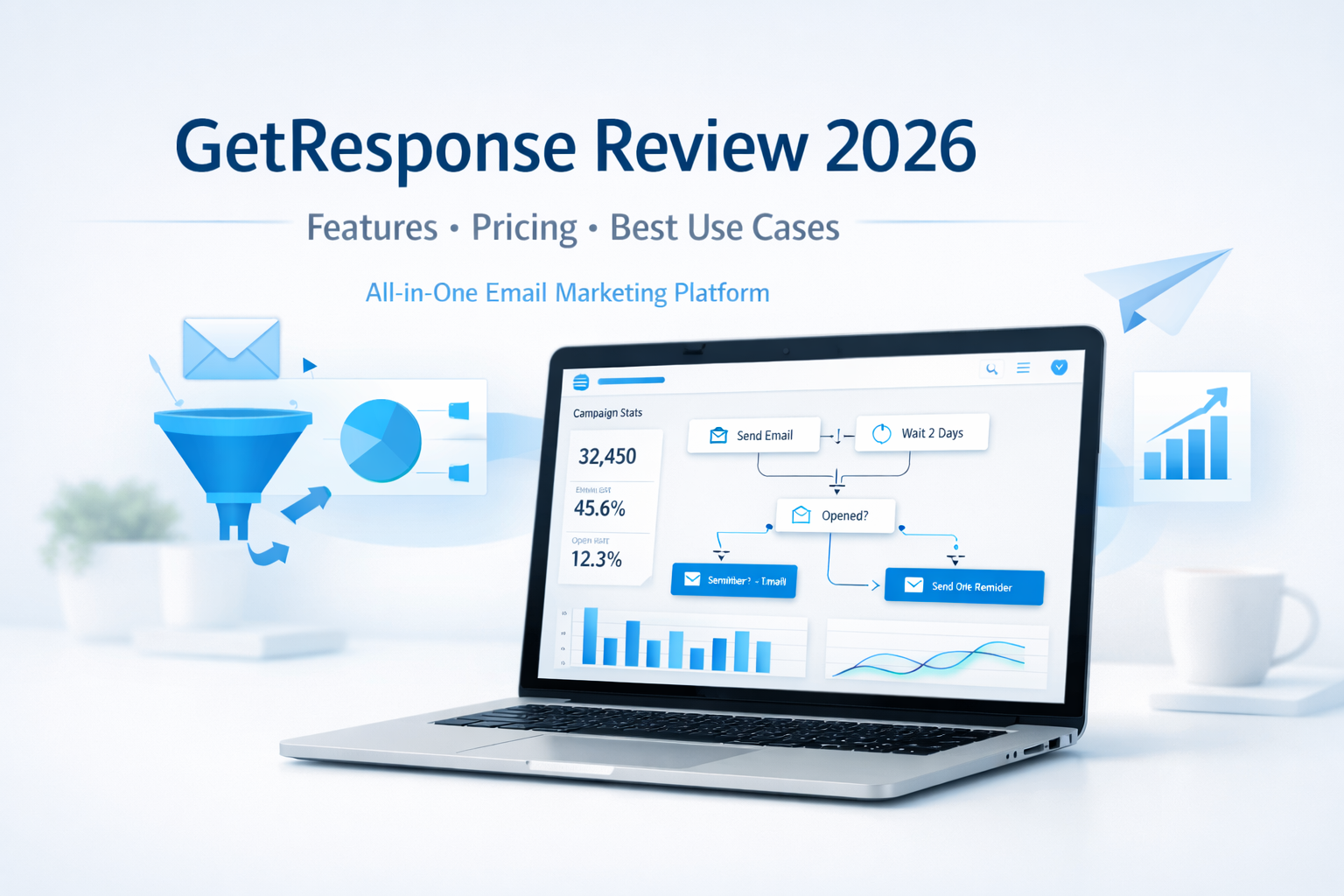
    GetResponse Review: Features, Pricing, and Best Use Cases in 2026

    Email marketing is still one of the most profitable digital channels in 2026—but only if you’re using the right platform.

    With so many tools promising automation, AI, and “all-in-one” solutions, it can be hard to know which one actually delivers without overwhelming you.

    That’s why in this in-depth GetResponse review, we’ll cover:

    • Key features and tools
    • Pricing and affordability
    • Best use cases (and who it’s not for)
    • Whether GetResponse is worth it in 2026

    If you’re a solopreneur, coach, creator, or small business owner looking to grow an email list and turn subscribers into customers, this review is for you.


    What Is GetResponse?

    GetResponse is an all-in-one email marketing and automation platform designed to help businesses:

    • Grow their email lists
    • Engage subscribers with relevant content
    • Automate marketing workflows
    • Convert leads into customers

    Unlike basic email tools, GetResponse goes beyond newsletters. It combines email marketing, automation, landing pages, funnels, webinars, and AI-powered tools in one intuitive platform.

    As of 2026, GetResponse is used by over 350,000 businesses worldwide, from solo creators to established brands.


    Key GetResponse Features (2026 Overview)

    1. Email Marketing with AI Assistance

    GetResponse’s core strength is email marketing—but it’s been modernized with AI.

    Key highlights:

    • AI-powered email creator for faster copy and layout
    • Drag-and-drop editor with professional templates
    • Advanced segmentation and personalization
    • Excellent deliverability and inbox placement

    This is especially valuable for solopreneurs who don’t have time to write every email from scratch.


    2. Marketing Automation Builder

    Automation is where GetResponse truly shines.

    The visual automation builder allows you to create workflows based on subscriber behavior—without technical complexity.

    You can automate:

    • Welcome sequences
    • Lead magnet delivery
    • Affiliate promotion funnels
    • Follow-ups after clicks, downloads, or purchases
    • Re-engagement campaigns

    Once set up, your marketing runs in the background while you focus on growing your business.


    3. List Building Tools

    GetResponse includes everything you need to grow an email list without third-party tools:

    • Signup forms and popups
    • High-converting landing pages
    • Embedded forms for websites and blogs
    • Automatic tagging and segmentation

    This makes it easy to build a list you actually own—an essential asset in 2026.


    4. Funnels, Sales Pages, and Lead Magnets

    GetResponse isn’t just about email—it’s about conversion.

    You can create complete funnels that include:

    • Landing pages
    • Email sequences
    • Thank-you pages
    • Product or affiliate promotions

    This is ideal for creators and marketers selling:

    • Digital products
    • Online courses
    • Coaching programs
    • Affiliate offers

    5. Webinars and Online Events

    One standout feature is built-in webinar hosting.

    Instead of paying for a separate webinar platform, GetResponse lets you:

    • Host live or on-demand webinars
    • Capture registrations automatically
    • Follow up with automated emails
    • Sell directly during the event

    This is a huge advantage for coaches, educators, and consultants.


    GetResponse Pricing: Is It Affordable in 2026?

    GetResponse pricing remains competitive and scalable, especially compared to buying multiple tools separately.

    Pricing is typically based on:

    • List size
    • Feature access (email only vs. automation, funnels, webinars, etc.)

    What makes GetResponse appealing:

    • Plans grow with your business
    • You’re not forced to upgrade just to access basic automation
    • Strong value for solopreneurs and small teams

    👉 Tip: For most users, the automation-focused plans offer the best ROI.


    Best Use Cases for GetResponse in 2026

    GetResponse is not for everyone—but it’s an excellent fit for the right audience.

    Best for:

    • Solopreneurs and creators building personal brands
    • Affiliate marketers promoting products via email
    • Coaches and consultants using funnels and webinars
    • Small businesses needing an all-in-one marketing tool
    • Educators and course creators nurturing leads long-term

    Not ideal for:

    • Businesses that only want to send occasional newsletters
    • Enterprises needing highly custom, developer-heavy solutions

    Pros and Cons of GetResponse

    ✅ Pros

    • All-in-one platform (email, automation, funnels, webinars)
    • Easy to use, even for non-technical users
    • Strong automation and AI features
    • Excellent value for the feature set
    • Scales well as your business grows

    ⚠️ Cons

    • Advanced features require higher-tier plans
    • Can feel like “too much” if you only need basic email sending

    Is GetResponse Worth It in 2026?

    If your goal is to:

    • Build an email list you own
    • Automate your marketing
    • Convert subscribers into customers
    • Avoid juggling multiple tools

    Then yes—GetResponse is absolutely worth considering in 2026.

    It strikes a rare balance between power and simplicity, making it especially attractive for solopreneurs and growing online businesses.


    Should You Try GetResponse?

    GetResponse isn’t just an email tool—it’s a growth platform.

    If you want a reliable, affordable, and future-ready solution to manage your email marketing, automation, and conversions in one place, GetResponse is a strong choice.

    👉 Try GetResponse Free and explore the features for yourself.

    If you want to deepen your understanding of email marketing and automation beyond this GetResponse review, these trusted resources are worth exploring. HubSpot’s Email Marketing Guide offers practical education and best practices, Email Monday provides expert insights on email strategy and deliverability, and MarketingCharts shares data-driven research on email and marketing automation trends.

    Frequently Asked Questions (FAQ)

    1. What is GetResponse and what does it do?

    GetResponse is an all-in-one email marketing and automation platform that helps businesses grow email lists, engage subscribers, and convert leads into customers using emails, funnels, automation, and webinars.


    2. Is GetResponse good for solopreneurs and small businesses?

    Yes. GetResponse is especially well-suited for solopreneurs, creators, coaches, and small businesses because it combines powerful features with an easy-to-use interface and affordable pricing that scales as you grow.


    3. What features does GetResponse offer in 2026?

    In 2026, GetResponse offers email marketing, AI-powered email creation, marketing automation, landing pages, signup forms, sales funnels, webinars, list segmentation, and detailed analytics—all within one platform.


    4. How much does GetResponse cost?

    GetResponse pricing depends on your list size and the features you need. Plans are designed to grow with your business, making it cost-effective compared to using multiple separate marketing tools.


    5. Does GetResponse support marketing automation?

    Yes. GetResponse includes a visual automation builder that allows you to create automated workflows for welcome emails, lead nurturing, follow-ups, re-engagement campaigns, and affiliate promotions—without coding.


    6. Can I use GetResponse for affiliate marketing?

    Absolutely. GetResponse is widely used by affiliate marketers to build email lists, deliver lead magnets, automate follow-ups, and promote affiliate offers while maintaining strong deliverability and audience engagement.


    7. How does GetResponse compare to other email marketing tools?

    GetResponse stands out by offering email marketing, automation, funnels, and webinars in one platform. This makes it more comprehensive than basic email tools and more affordable than combining multiple services.


    8. Is GetResponse worth trying in 2026?

    If you want to simplify your marketing stack, automate your emails, and focus on growing revenue, GetResponse is worth trying in 2026—especially for online businesses and personal brands.

    9. Is customer support reliable?

     Yes! GetResponse provides excellent customer support via live chat, email, and an extensive knowledge base. They genuinely care about your success and are quick to assist, ensuring you never feel lost on your marketing journey.

    10. Can I integrate GetResponse with other tools?

    Definitely. GetResponse seamlessly integrates with numerous platforms like WordPress, Shopify, and social media networks. This integration enhances your marketing efforts, making it easier to manage all your channels in one place.

  • Email Marketing Software: How to Choose the Right Tool Without Wasting Time, Money, or Peace of Mind

    Email Marketing Software: How to Choose the Right Tool Without Wasting Time, Money, or Peace of Mind

    Choosing the right email marketing software can feel overwhelming—especially when your inbox, your budget, and your business growth are already demanding your attention.

    There are hundreds of platforms, all promising automation, higher open rates, and effortless growth. Yet underneath that promise is a quiet fear most business owners won’t say out loud:

    “What if I choose the wrong one and lose time, money, or my audience’s trust?”

    You’re not alone in that concern. And the good news? With the right framework, choosing the right email marketing software becomes clear, confident, and even empowering.

    First, Decide: Control or Convenience?

    Before you even look at software features, you need to answer one critical question:

    email marketing software buying guide for small business

    Do you want full control or full relief?

    Option 1: Outsource for Relief and Certainty

    If your days are already packed and marketing feels like a constant mental drain, outsourcing your email campaigns can offer immediate relief. Agencies specialize in strategy, deliverability, and conversion psychology, so results often come faster and with fewer mistakes.

    For many business owners, outsourcing removes anxiety, reduces trial-and-error costs, and frees mental space to focus on growth. In some cases, it can even be more cost-effective than hiring internally or learning everything from scratch.

    Option 2: Do It Yourself for Freedom and Long-Term Leverage

    On the other hand, managing your own email marketing gives you complete ownership. You decide the message, the timing, and the relationship with your audience. Over time, this approach can save money and give you unmatched flexibility.

    If autonomy, skill-building, and long-term scalability matter to you, the right email marketing software becomes a powerful asset, not a burden.

    And yes, many successful businesses use a hybrid approach, combining strategic oversight with selective outsourcing.

    The Hidden Fear Most Software Buyers Have (And How to Eliminate It)

    Let’s address the real objection head-on:

    “What if the software is too complicated, outdated, or locks me in?”

    That fear is justified. Many people have been burned by bloated platforms, confusing dashboards, or tools that promised everything—and mastered nothing.

    Here’s how to avoid that trap.

    5 Smart Rules for Choosing Email Marketing Software That Actually Works

    1. Choose Focus Over Flash

    All-in-one tools sound attractive, but they often sacrifice depth for breadth. Email marketing is a discipline of its own, list building, segmentation, messaging, delivery, and analytics all require precision.

    Software that specializes in email marketing tends to be simpler, more reliable, and more effective. Less confusion. Faster results. More confidence.

    2. Avoid Being Trapped by One Ecosystem

    Your business will evolve. Your tools should adapt with you.

    Choose software that integrates easily with other platforms and isn’t locked into a single vendor. Flexibility equals safety—and safety builds trust in your decisions.

    3. Simplicity Reduces Stress (and Errors)

    If software feels intimidating, it won’t get used consistently.

    The best email marketing software works smoothly across most computers, doesn’t require extra hardware, and lets you focus on communication, not troubleshooting. When the tool feels intuitive, momentum replaces frustration.

    4. Control Matters More Than You Think

    As your list grows, so does complexity. Being able to pause, stop, or adjust campaigns mid-process gives you peace of mind.

    This kind of control prevents costly mistakes and reinforces the feeling that you are in charge, not the software.

    5. Choose Industry Expertise, Not Side Projects

    Email marketing changes fast. Rules, filters, and best practices evolve constantly.

    Software built by companies that specialize in email marketing is far more likely to stay compliant, effective, and relevant. Authority here isn’t a bonus; it’s protection.

    Social Proof, Validation, and Smart Risk Reduction

    Before you decide, do what confident buyers do:

    • Read real user reviews
    • Compare pros and cons
    • Look for patterns, not hype

    Better yet, use free trials whenever possible. A trial removes risk and replaces doubt with firsthand certainty. You’ll quickly feel whether the software supports you or drains you.

    That moment of clarity is powerful. It’s where uncertainty turns into confidence.

    The Real Payoff: What the Right Software Gives You

    When you choose the right email marketing software, you’re not just buying a tool.

    You’re gaining:

    • Freedom from guesswork
    • Security in knowing your message reaches the right people
    • Confidence that your marketing system works—even when you’re not watching it
    • Growth without constant stress

    Imagine knowing your emails are sent smoothly, tracked clearly, and optimized intelligently while you focus on building the business you actually want.

    That’s the transformation smart software enables.

    Choose Confidence, Not Complexity

    Choosing email marketing software isn’t just a technical decision—it’s a strategic one that shapes how confidently you communicate with your audience every day.

    The right platform removes friction from your workflow, replaces doubt with clarity, and quietly supports your growth behind the scenes. When your tools work with you instead of against you, marketing stops feeling like a chore and starts feeling like momentum.

    Remember, the best choice is rarely the flashiest option; it’s the one that aligns with your goals, your skills, and your vision for the future. Take the time to test, compare, and trust what feels intuitive and reliable. When you do, your email marketing software becomes more than a tool; it becomes a foundation for consistent, stress-free growth.

    FAQs for Email Marketing Software

    1. What should I consider first when choosing email marketing software?
    Start with your goals. Are you aiming for better engagement, sales, or list growth? Knowing what you want sets the stage for finding the right tool.

    2. Is it necessary to know HTML for using email marketing tools?
    Not at all! Most tools offer user-friendly drag-and-drop features. You can create beautiful emails without writing a single line of code.

    3. How important are automation features?
    Super important! Automation saves you time and ensures your audience gets timely messages. Look for software that offers easy-to-set-up workflows.

    4. Should I prioritize analytics and reporting?
    Definitely! Good analytics help you understand what’s working. Look for features that track open rates, clicks, and conversions so you can improve your strategy.

    5. What’s the deal with templates?
    Templates are a game-changer! They speed up your design process and ensure your emails look professional. Check the variety and customization options.

    6. How do I know if the software is user-friendly?
    Try out free trials or demos. A good platform should be intuitive, allowing you to navigate easily without feeling overwhelmed.

    7. What if I’m on a tight budget?
    Many email marketing tools offer scalable pricing plans. Look for options that match your needs without breaking the bank, and check for free trials too!

    8. Can I integrate email marketing with other tools?
    Most modern email software offers integrations with other apps like CRMs and social media. This helps create a seamless workflow for your marketing efforts.

    Useful Resources

    If you want to deepen your understanding of email marketing and make smarter software decisions, these trusted resources are worth bookmarking.

    MailerLite’s Email Marketing Blog offers clear, beginner-friendly guides on campaigns, automation, and deliverability best practices.

    For industry benchmarks, trends, and research-backed insights, Campaign Monitor Resources provides data-driven reports and practical tutorials.

    Finally, HubSpot’s Email Marketing Library is an excellent reference for strategy, copywriting, and optimization techniques used by high-performing teams.

    Affiliate Product Recommendation

    Product Name: GetResponse Email Marketing Platform

    Short Description:
    GetResponse is an all-in-one email marketing software designed for small businesses and marketers who want automation without complexity. It offers email campaigns, autoresponders, landing pages, and analytics in one intuitive dashboard ideal for beginners and growing brands.