Blog

  • GetResponse vs Mailchimp vs ActiveCampaign vs ConvertKit: Which Is Best?

    GetResponse vs Mailchimp vs ActiveCampaign vs ConvertKit: Which Is Best?

    If you’re trying to choose the right email marketing platform, you’ve probably found yourself comparing GetResponse vs Mailchimp, ActiveCampaign, and ConvertKit.

    All four are popular—but they’re built for different types of users.

    In this comparison, we’ll break down features, ease of use, automation, pricing value, and ideal use cases so you can confidently decide which platform is best for your business.

    Quick Overview of Each Platform

    Before diving deeper, here’s what each tool is known for:

    • GetResponse – All-in-one email marketing, automation, funnels, and webinars
    • Mailchimp – Well-known brand, basic email marketing, limited automation
    • ActiveCampaign – Powerful automation, steeper learning curve
    • ConvertKit – Creator-focused email marketing with simple automation

    Ease of Use: Which Platform Is Beginner-Friendly?

    🥇 GetResponse

    GetResponse is designed for non-technical users. Its drag-and-drop editors, visual automation builder, and AI-powered email creator make it easy for beginners to launch campaigns quickly.

    Best for: Solopreneurs, small businesses, coaches

    🥈 Mailchimp

    Mailchimp is easy to start with but becomes restrictive as your needs grow. Many features require upgrades, and automation is fairly limited.

    Best for: Very small lists, simple newsletters

    🥉 ConvertKit

    ConvertKit is clean and minimal, but less flexible when it comes to design and funnels. Great for creators—but not ideal for broader marketing needs.

    Best for: Bloggers, content creators

    🟥 ActiveCampaign

    ActiveCampaign is powerful but complex. Beginners often feel overwhelmed by its interface and setup requirements.

    Best for: Advanced marketers, agencies

    Automation & Funnels: Where GetResponse Stands Out

    Email marketing automation and sales funnels in GetResponse compared to competitors

    GetResponse Automation

    GetResponse offers a visual automation builder that lets you:

    • Send emails based on behavior
    • Tag and segment subscribers
    • Build full sales funnels
    • Automate lead nurturing and promotions

    👉 You can also build conversion funnels (opt-in → emails → offer) without third-party tools.

    ActiveCampaign Automation

    ActiveCampaign is the most advanced—but also the most complicated. You’ll need time (or help) to set things up correctly.

    Mailchimp & ConvertKit Automation

    • Mailchimp: Basic automation only
    • ConvertKit: Simple sequences, limited logic

    Neither matches GetResponse’s balance of power + usability.

    Email Design & Creation

    • GetResponse: Modern templates, drag-and-drop editor, AI copy assistance
    • Mailchimp: Good templates, but design freedom is limited on lower plans
    • ConvertKit: Minimalist design (mostly text-based emails)
    • ActiveCampaign: Functional but not beginner-friendly

    If branding and professional design matter, GetResponse leads.

    List Building & Lead Generation Tools

    GetResponse Includes:

    • Signup forms & popups
    • Landing pages
    • Lead magnet funnels
    • Built-in analytics

    Competitors:

    • Mailchimp: Basic forms, limited landing pages
    • ConvertKit: Forms + landing pages, fewer customization options
    • ActiveCampaign: Requires integrations or extra setup

    👉 GetResponse consolidates multiple tools into a single platform.

    Webinars & All-in-One Features (Major Advantage)

    Only GetResponse includes built-in webinar hosting, making it ideal for:

    • Coaches
    • Course creators
    • Consultants
    • Affiliate marketers

    None of the other platforms offer this natively.

    Pricing & Overall Value

    While exact pricing varies by list size, here’s the key takeaway:

    • GetResponse offers the best value for small businesses because it bundles premium features together.
    • Mailchimp becomes expensive as you grow.
    • ActiveCampaign is costly for advanced features.
    • ConvertKit charges more for fewer tools.

    💡 When you factor in funnels, automation, and webinars, GetResponse is more cost-effective overall.

    FeatureGetResponseMailchimpActiveCampaignConvertKit
    Beginner-Friendly
    Advanced Automation⚠️
    Funnels & Landing Pages⚠️⚠️⚠️
    Webinars
    All-in-One Platform
    Best for SMBs⚠️⚠️

    Which Email Marketing Tool Should You Choose?

    If you want:

    • Powerful automation without complexity
    • One platform instead of multiple tools
    • Email marketing that actually drives revenue

    👉 GetResponse is the best choice for small businesses and solopreneurs.

    Mailchimp works for basic needs, ConvertKit is solid for creators, and ActiveCampaign is great for advanced users—but GetResponse delivers the best balance of features, ease of use, and value.

    🚀 Ready to Try GetResponse?

    You can create a free GetResponse account and explore its features before committing.

    👉 Try GetResponse Free Today and see why so many small businesses are switching.

    Relevant Resources

    If you’d like to explore email marketing and automation in more depth, these trusted resources can help you make smarter platform decisions. The GetResponse Marketing Resources section offers practical guides, tutorials, and benchmarks directly related to email marketing and automation.

    For broader comparisons and best practices across tools like Mailchimp and ActiveCampaign, EmailToolTester provides independent reviews and deliverability research.

    Frequently Asked Questions: GetResponse vs Mailchimp vs ActiveCampaign vs ConvertKit

    1. Which is better: GetResponse or Mailchimp?

    GetResponse is better for businesses that want automation, funnels, and list growth tools in one platform. Mailchimp is more suitable for basic newsletters but lacks advanced automation and sales-focused features.

    2. How does GetResponse compare to ActiveCampaign?

    GetResponse offers powerful automation with a much easier learning curve, while ActiveCampaign provides deeper automation but requires more technical expertise and setup time.

    3. Is GetResponse better than ConvertKit for creators?

    GetResponse is better for creators who want to sell products, run webinars, and build funnels. ConvertKit is simpler and works well for bloggers but lacks advanced marketing and conversion tools.

    4. Which email marketing tool is best for small businesses?

    GetResponse is the best option for small businesses because it combines email marketing, automation, landing pages, funnels, and webinars at a more affordable price point.

    5. Which platform is easiest to use for beginners?

    GetResponse and ConvertKit are the easiest platforms for beginners, but GetResponse offers more growth and monetization tools as your business scales.

    6. Does GetResponse offer more features than Mailchimp?

    Yes, GetResponse includes advanced automation, conversion funnels, landing pages, and webinars—features that Mailchimp either limits or does not offer at all.

    7. Is ActiveCampaign too advanced for solopreneurs?

    ActiveCampaign can be overwhelming for solopreneurs due to its complexity. GetResponse provides similar automation capabilities in a more user-friendly format.

    8. Can GetResponse replace ConvertKit and other tools?

    Yes, GetResponse can replace ConvertKit plus additional tools by handling email marketing, list building, automation, funnels, and webinars in a single platform.

    9. Which platform offers the best value for the money?

    GetResponse offers the best overall value because it bundles premium features together, reducing the need for multiple subscriptions and lowering total marketing costs.

    10. Who should choose GetResponse over its competitors?

    Small business owners, solopreneurs, coaches, creators, and affiliate marketers should choose GetResponse if they want an all-in-one, easy-to-use platform that focuses on growth and conversions.

  • Is GetResponse Worth It for Small Businesses and Solopreneurs? An Honest Review

    Is GetResponse Worth It for Small Businesses and Solopreneurs? An Honest Review

    If you’re a small business owner or solopreneur, chances are you’ve asked yourself this question:

    “Is GetResponse worth it, or is it just another email marketing tool?”

    With so many platforms promising automation, funnels, and growth, choosing the right one can feel overwhelming, especially if you’re running your business solo.

    In this review, we’ll break down exactly what GetResponse offers, who it’s best for, and whether it’s a smart investment for small businesses and solopreneurs looking to grow revenue without adding complexity.

    Why Email Marketing Still Matters for Small Businesses

    Before diving into GetResponse specifically, let’s get one thing clear:

    👉 Email marketing remains one of the highest-ROI marketing channels available.

    For solopreneurs and small teams, email allows you to:

    • Own your audience (unlike social media)
    • Build trust over time
    • Promote products, services, and affiliate offers consistently
    • Automate follow-ups instead of chasing leads manually

    The challenge? Most platforms are either too basic or too complicated.

    That’s where GetResponse positions itself.

    What Is GetResponse?

    GetResponse is an all-in-one email marketing and automation platform designed to help businesses:

    • Grow an email list
    • Engage subscribers with personalized content
    • Convert leads into customers using automation and funnels

    Unlike tools that only focus on newsletters, GetResponse includes:

    • AI-powered email creation
    • Marketing automation workflows
    • Landing pages & signup forms
    • Conversion funnels
    • Webinars (a standout feature)
    • Ecommerce and sales tools

    All under one roof.

    Is GetResponse Easy Enough for Solopreneurs?

    GetResponse dashboard showing email marketing and automation features for small businesses

    This is one of the biggest concerns and a valid one.

    Short answer: Yes.

    GetResponse was built with non-technical users in mind. You don’t need to be a marketer or developer to get results.

    Why beginners like it:

    • Clean, intuitive dashboard
    • Drag-and-drop email and funnel builder
    • Prebuilt templates for emails, landing pages, and automations
    • AI tools that help write emails and subject lines

    Many solopreneurs use GetResponse as their first serious email platform and stick with it as they grow.

    Key Features That Make GetResponse Worth It

    Here’s where GetResponse really stands out for small businesses:

    ✅ 1. All-in-One Platform (No Tool Overload)

    Instead of paying for:

    • An email tool
    • A landing page builder
    • A funnel tool
    • A webinar platform

    You get everything in one system, which saves money and time.

    ✅ 2. Automation That Actually Grows Revenue

    GetResponse’s visual automation builder lets you:

    • Welcome new subscribers automatically
    • Segment based on behavior
    • Send targeted follow-ups
    • Promote offers at the right time

    This is especially powerful for:

    • Coaches
    • Course creators
    • Affiliate marketers
    • Service providers

    ✅ 3. Built for List Growth

    You can easily create:

    • Popups
    • Signup forms
    • Lead magnet funnels
    • Landing pages connected directly to your email list

    No integrations required.

    ✅ 4. Affordable for Small Businesses

    Compared to competitors with similar features, GetResponse is more cost-effective, especially when you consider how many tools it replaces.

    You’re not paying extra just to “unlock” basic functionality.

    Real-World Proof: Businesses That Use GetResponse

    Brands and organizations around the world rely on GetResponse to scale their marketing, including:

    • InfoShare Academy
    • Matematma
    • KRISPOL

    These success stories show that GetResponse works for both growing businesses and established brands—without enterprise-level complexity.

    Who Is GetResponse Best For?

    GetResponse is ideal if you’re:

    • A solopreneur or coach building a personal brand
    • A small business owner who wants automation without tech headaches
    • An affiliate marketer growing an email list
    • A creator who wants email + funnels + webinars in one platform

    If your goal is long-term audience ownership and consistent revenue, GetResponse is absolutely worth considering.

    Is GetResponse Worth It?

    Yes—GetResponse is worth it for small businesses and solopreneurs who want:

    • Simplicity without sacrificing power
    • Automation that actually converts
    • One affordable platform instead of multiple tools

    It’s especially valuable if you’re focused on email list growth, nurturing, and monetization.

    👉 You can try GetResponse for free and see if it fits your business before committing.
    Create your free GetResponse account today and start building smarter email campaigns.

    If you want to deepen your understanding of email marketing and online growth strategies, these trusted resources are worth exploring. GetResponse’s official marketing resources offer practical guides, templates, and tutorials on email marketing and automation.

    For broader insights into digital marketing best practices, HubSpot’s Marketing Blog provides well-researched articles on list building, conversion optimization, and customer engagement.

    You may also find Smart Passive Income useful for learning how solopreneurs and small businesses monetize audiences through email and online products.

    Frequently Asked Questions About GetResponse

    1. Is GetResponse worth it for small businesses?

    Yes, GetResponse is worth it for small businesses because it combines email marketing, automation, landing pages, and funnels into one affordable, easy-to-manage platform designed to drive growth.

    2. Is GetResponse good for solopreneurs and one-person businesses?

    GetResponse is ideal for solopreneurs because it allows one person to automate email campaigns, lead nurturing, and sales funnels without needing technical skills or multiple tools.

    3. How easy is GetResponse to use for beginners?

    GetResponse is beginner-friendly, offering a clean dashboard, drag-and-drop editors, AI-powered email creation, and prebuilt templates that make setup fast and simple.

    4. What email marketing features does GetResponse offer?

    GetResponse includes professional email templates, list segmentation, autoresponders, AI email writing tools, analytics, and deliverability optimization to improve open and click rates.

    5. Does GetResponse include marketing automation?

    Yes, GetResponse includes a visual automation builder that lets users send personalized emails based on subscriber actions, behavior, and engagement—without manual follow-ups.

    6. Can GetResponse replace multiple marketing tools?

    GetResponse can replace several tools by handling email marketing, landing pages, signup forms, popups, automation workflows, conversion funnels, and webinars in one platform.

    7. How does GetResponse compare to Mailchimp or ConvertKit?

    Compared to Mailchimp and ConvertKit, GetResponse offers more advanced automation and funnel features at a more competitive price, making it better suited for small businesses focused on sales growth.

    8. Is GetResponse affordable for small businesses?

    GetResponse is considered affordable because it bundles premium features into one platform, reducing the need for additional software subscriptions and lowering overall marketing costs.

    9. Does GetResponse help grow an email list?

    Yes, GetResponse helps grow an email list through built-in landing pages, lead magnet funnels, signup forms, popups, and automated welcome sequences designed to convert visitors into subscribers.

    10. Who should use GetResponse and who should avoid it?

    GetResponse is best for small business owners, solopreneurs, coaches, creators, and affiliate marketers who want automation and scalability. It may not be ideal for users who only need very basic newsletter tools.

  • GetResponse Review: Features, Pricing, and Best Use Cases in 2026

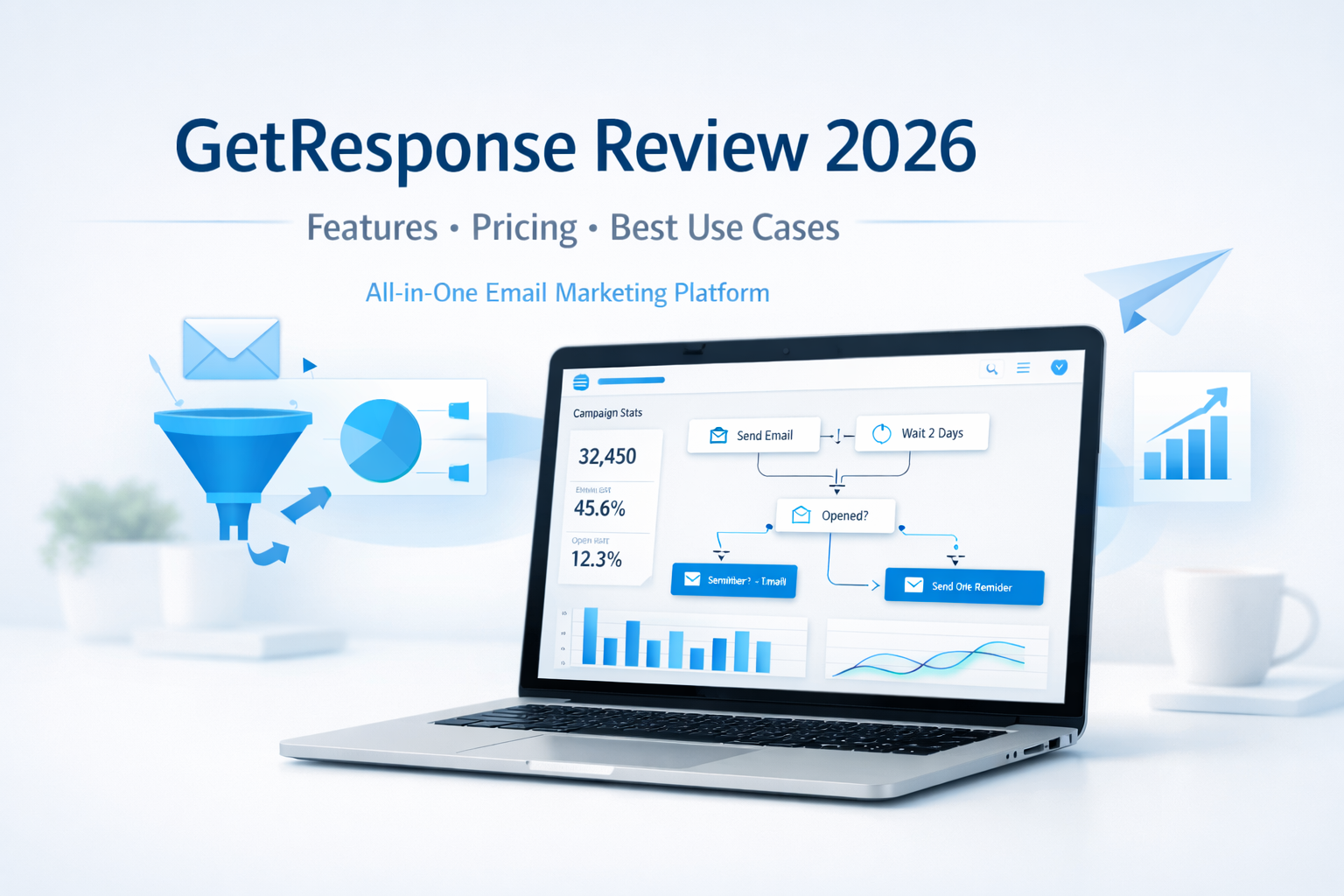
    GetResponse Review: Features, Pricing, and Best Use Cases in 2026

    Email marketing is still one of the most profitable digital channels in 2026—but only if you’re using the right platform.

    With so many tools promising automation, AI, and “all-in-one” solutions, it can be hard to know which one actually delivers without overwhelming you.

    That’s why in this in-depth GetResponse review, we’ll cover:

    • Key features and tools
    • Pricing and affordability
    • Best use cases (and who it’s not for)
    • Whether GetResponse is worth it in 2026

    If you’re a solopreneur, coach, creator, or small business owner looking to grow an email list and turn subscribers into customers, this review is for you.


    What Is GetResponse?

    GetResponse is an all-in-one email marketing and automation platform designed to help businesses:

    • Grow their email lists
    • Engage subscribers with relevant content
    • Automate marketing workflows
    • Convert leads into customers

    Unlike basic email tools, GetResponse goes beyond newsletters. It combines email marketing, automation, landing pages, funnels, webinars, and AI-powered tools in one intuitive platform.

    As of 2026, GetResponse is used by over 350,000 businesses worldwide, from solo creators to established brands.


    Key GetResponse Features (2026 Overview)

    1. Email Marketing with AI Assistance

    GetResponse’s core strength is email marketing—but it’s been modernized with AI.

    Key highlights:

    • AI-powered email creator for faster copy and layout
    • Drag-and-drop editor with professional templates
    • Advanced segmentation and personalization
    • Excellent deliverability and inbox placement

    This is especially valuable for solopreneurs who don’t have time to write every email from scratch.


    2. Marketing Automation Builder

    Automation is where GetResponse truly shines.

    The visual automation builder allows you to create workflows based on subscriber behavior—without technical complexity.

    You can automate:

    • Welcome sequences
    • Lead magnet delivery
    • Affiliate promotion funnels
    • Follow-ups after clicks, downloads, or purchases
    • Re-engagement campaigns

    Once set up, your marketing runs in the background while you focus on growing your business.


    3. List Building Tools

    GetResponse includes everything you need to grow an email list without third-party tools:

    • Signup forms and popups
    • High-converting landing pages
    • Embedded forms for websites and blogs
    • Automatic tagging and segmentation

    This makes it easy to build a list you actually own—an essential asset in 2026.


    4. Funnels, Sales Pages, and Lead Magnets

    GetResponse isn’t just about email—it’s about conversion.

    You can create complete funnels that include:

    • Landing pages
    • Email sequences
    • Thank-you pages
    • Product or affiliate promotions

    This is ideal for creators and marketers selling:

    • Digital products
    • Online courses
    • Coaching programs
    • Affiliate offers

    5. Webinars and Online Events

    One standout feature is built-in webinar hosting.

    Instead of paying for a separate webinar platform, GetResponse lets you:

    • Host live or on-demand webinars
    • Capture registrations automatically
    • Follow up with automated emails
    • Sell directly during the event

    This is a huge advantage for coaches, educators, and consultants.


    GetResponse Pricing: Is It Affordable in 2026?

    GetResponse pricing remains competitive and scalable, especially compared to buying multiple tools separately.

    Pricing is typically based on:

    • List size
    • Feature access (email only vs. automation, funnels, webinars, etc.)

    What makes GetResponse appealing:

    • Plans grow with your business
    • You’re not forced to upgrade just to access basic automation
    • Strong value for solopreneurs and small teams

    👉 Tip: For most users, the automation-focused plans offer the best ROI.


    Best Use Cases for GetResponse in 2026

    GetResponse is not for everyone—but it’s an excellent fit for the right audience.

    Best for:

    • Solopreneurs and creators building personal brands
    • Affiliate marketers promoting products via email
    • Coaches and consultants using funnels and webinars
    • Small businesses needing an all-in-one marketing tool
    • Educators and course creators nurturing leads long-term

    Not ideal for:

    • Businesses that only want to send occasional newsletters
    • Enterprises needing highly custom, developer-heavy solutions

    Pros and Cons of GetResponse

    ✅ Pros

    • All-in-one platform (email, automation, funnels, webinars)
    • Easy to use, even for non-technical users
    • Strong automation and AI features
    • Excellent value for the feature set
    • Scales well as your business grows

    ⚠️ Cons

    • Advanced features require higher-tier plans
    • Can feel like “too much” if you only need basic email sending

    Is GetResponse Worth It in 2026?

    If your goal is to:

    • Build an email list you own
    • Automate your marketing
    • Convert subscribers into customers
    • Avoid juggling multiple tools

    Then yes—GetResponse is absolutely worth considering in 2026.

    It strikes a rare balance between power and simplicity, making it especially attractive for solopreneurs and growing online businesses.


    Should You Try GetResponse?

    GetResponse isn’t just an email tool—it’s a growth platform.

    If you want a reliable, affordable, and future-ready solution to manage your email marketing, automation, and conversions in one place, GetResponse is a strong choice.

    👉 Try GetResponse Free and explore the features for yourself.

    If you want to deepen your understanding of email marketing and automation beyond this GetResponse review, these trusted resources are worth exploring. HubSpot’s Email Marketing Guide offers practical education and best practices, Email Monday provides expert insights on email strategy and deliverability, and MarketingCharts shares data-driven research on email and marketing automation trends.

    Frequently Asked Questions (FAQ)

    1. What is GetResponse and what does it do?

    GetResponse is an all-in-one email marketing and automation platform that helps businesses grow email lists, engage subscribers, and convert leads into customers using emails, funnels, automation, and webinars.


    2. Is GetResponse good for solopreneurs and small businesses?

    Yes. GetResponse is especially well-suited for solopreneurs, creators, coaches, and small businesses because it combines powerful features with an easy-to-use interface and affordable pricing that scales as you grow.


    3. What features does GetResponse offer in 2026?

    In 2026, GetResponse offers email marketing, AI-powered email creation, marketing automation, landing pages, signup forms, sales funnels, webinars, list segmentation, and detailed analytics—all within one platform.


    4. How much does GetResponse cost?

    GetResponse pricing depends on your list size and the features you need. Plans are designed to grow with your business, making it cost-effective compared to using multiple separate marketing tools.


    5. Does GetResponse support marketing automation?

    Yes. GetResponse includes a visual automation builder that allows you to create automated workflows for welcome emails, lead nurturing, follow-ups, re-engagement campaigns, and affiliate promotions—without coding.


    6. Can I use GetResponse for affiliate marketing?

    Absolutely. GetResponse is widely used by affiliate marketers to build email lists, deliver lead magnets, automate follow-ups, and promote affiliate offers while maintaining strong deliverability and audience engagement.


    7. How does GetResponse compare to other email marketing tools?

    GetResponse stands out by offering email marketing, automation, funnels, and webinars in one platform. This makes it more comprehensive than basic email tools and more affordable than combining multiple services.


    8. Is GetResponse worth trying in 2026?

    If you want to simplify your marketing stack, automate your emails, and focus on growing revenue, GetResponse is worth trying in 2026—especially for online businesses and personal brands.

    9. Is customer support reliable?

     Yes! GetResponse provides excellent customer support via live chat, email, and an extensive knowledge base. They genuinely care about your success and are quick to assist, ensuring you never feel lost on your marketing journey.

    10. Can I integrate GetResponse with other tools?

    Definitely. GetResponse seamlessly integrates with numerous platforms like WordPress, Shopify, and social media networks. This integration enhances your marketing efforts, making it easier to manage all your channels in one place.

  • Email Marketing Software: How to Choose the Right Tool Without Wasting Time, Money, or Peace of Mind

    Email Marketing Software: How to Choose the Right Tool Without Wasting Time, Money, or Peace of Mind

    Choosing the right email marketing software can feel overwhelming—especially when your inbox, your budget, and your business growth are already demanding your attention.

    There are hundreds of platforms, all promising automation, higher open rates, and effortless growth. Yet underneath that promise is a quiet fear most business owners won’t say out loud:

    “What if I choose the wrong one and lose time, money, or my audience’s trust?”

    You’re not alone in that concern. And the good news? With the right framework, choosing the right email marketing software becomes clear, confident, and even empowering.

    First, Decide: Control or Convenience?

    Before you even look at software features, you need to answer one critical question:

    email marketing software buying guide for small business

    Do you want full control or full relief?

    Option 1: Outsource for Relief and Certainty

    If your days are already packed and marketing feels like a constant mental drain, outsourcing your email campaigns can offer immediate relief. Agencies specialize in strategy, deliverability, and conversion psychology, so results often come faster and with fewer mistakes.

    For many business owners, outsourcing removes anxiety, reduces trial-and-error costs, and frees mental space to focus on growth. In some cases, it can even be more cost-effective than hiring internally or learning everything from scratch.

    Option 2: Do It Yourself for Freedom and Long-Term Leverage

    On the other hand, managing your own email marketing gives you complete ownership. You decide the message, the timing, and the relationship with your audience. Over time, this approach can save money and give you unmatched flexibility.

    If autonomy, skill-building, and long-term scalability matter to you, the right email marketing software becomes a powerful asset, not a burden.

    And yes, many successful businesses use a hybrid approach, combining strategic oversight with selective outsourcing.

    The Hidden Fear Most Software Buyers Have (And How to Eliminate It)

    Let’s address the real objection head-on:

    “What if the software is too complicated, outdated, or locks me in?”

    That fear is justified. Many people have been burned by bloated platforms, confusing dashboards, or tools that promised everything—and mastered nothing.

    Here’s how to avoid that trap.

    5 Smart Rules for Choosing Email Marketing Software That Actually Works

    1. Choose Focus Over Flash

    All-in-one tools sound attractive, but they often sacrifice depth for breadth. Email marketing is a discipline of its own, list building, segmentation, messaging, delivery, and analytics all require precision.

    Software that specializes in email marketing tends to be simpler, more reliable, and more effective. Less confusion. Faster results. More confidence.

    2. Avoid Being Trapped by One Ecosystem

    Your business will evolve. Your tools should adapt with you.

    Choose software that integrates easily with other platforms and isn’t locked into a single vendor. Flexibility equals safety—and safety builds trust in your decisions.

    3. Simplicity Reduces Stress (and Errors)

    If software feels intimidating, it won’t get used consistently.

    The best email marketing software works smoothly across most computers, doesn’t require extra hardware, and lets you focus on communication, not troubleshooting. When the tool feels intuitive, momentum replaces frustration.

    4. Control Matters More Than You Think

    As your list grows, so does complexity. Being able to pause, stop, or adjust campaigns mid-process gives you peace of mind.

    This kind of control prevents costly mistakes and reinforces the feeling that you are in charge, not the software.

    5. Choose Industry Expertise, Not Side Projects

    Email marketing changes fast. Rules, filters, and best practices evolve constantly.

    Software built by companies that specialize in email marketing is far more likely to stay compliant, effective, and relevant. Authority here isn’t a bonus; it’s protection.

    Social Proof, Validation, and Smart Risk Reduction

    Before you decide, do what confident buyers do:

    • Read real user reviews
    • Compare pros and cons
    • Look for patterns, not hype

    Better yet, use free trials whenever possible. A trial removes risk and replaces doubt with firsthand certainty. You’ll quickly feel whether the software supports you or drains you.

    That moment of clarity is powerful. It’s where uncertainty turns into confidence.

    The Real Payoff: What the Right Software Gives You

    When you choose the right email marketing software, you’re not just buying a tool.

    You’re gaining:

    • Freedom from guesswork
    • Security in knowing your message reaches the right people
    • Confidence that your marketing system works—even when you’re not watching it
    • Growth without constant stress

    Imagine knowing your emails are sent smoothly, tracked clearly, and optimized intelligently while you focus on building the business you actually want.

    That’s the transformation smart software enables.

    Choose Confidence, Not Complexity

    Choosing email marketing software isn’t just a technical decision—it’s a strategic one that shapes how confidently you communicate with your audience every day.

    The right platform removes friction from your workflow, replaces doubt with clarity, and quietly supports your growth behind the scenes. When your tools work with you instead of against you, marketing stops feeling like a chore and starts feeling like momentum.

    Remember, the best choice is rarely the flashiest option; it’s the one that aligns with your goals, your skills, and your vision for the future. Take the time to test, compare, and trust what feels intuitive and reliable. When you do, your email marketing software becomes more than a tool; it becomes a foundation for consistent, stress-free growth.

    FAQs for Email Marketing Software

    1. What should I consider first when choosing email marketing software?
    Start with your goals. Are you aiming for better engagement, sales, or list growth? Knowing what you want sets the stage for finding the right tool.

    2. Is it necessary to know HTML for using email marketing tools?
    Not at all! Most tools offer user-friendly drag-and-drop features. You can create beautiful emails without writing a single line of code.

    3. How important are automation features?
    Super important! Automation saves you time and ensures your audience gets timely messages. Look for software that offers easy-to-set-up workflows.

    4. Should I prioritize analytics and reporting?
    Definitely! Good analytics help you understand what’s working. Look for features that track open rates, clicks, and conversions so you can improve your strategy.

    5. What’s the deal with templates?
    Templates are a game-changer! They speed up your design process and ensure your emails look professional. Check the variety and customization options.

    6. How do I know if the software is user-friendly?
    Try out free trials or demos. A good platform should be intuitive, allowing you to navigate easily without feeling overwhelmed.

    7. What if I’m on a tight budget?
    Many email marketing tools offer scalable pricing plans. Look for options that match your needs without breaking the bank, and check for free trials too!

    8. Can I integrate email marketing with other tools?
    Most modern email software offers integrations with other apps like CRMs and social media. This helps create a seamless workflow for your marketing efforts.

    Useful Resources

    If you want to deepen your understanding of email marketing and make smarter software decisions, these trusted resources are worth bookmarking.

    MailerLite’s Email Marketing Blog offers clear, beginner-friendly guides on campaigns, automation, and deliverability best practices.

    For industry benchmarks, trends, and research-backed insights, Campaign Monitor Resources provides data-driven reports and practical tutorials.

    Finally, HubSpot’s Email Marketing Library is an excellent reference for strategy, copywriting, and optimization techniques used by high-performing teams.

    Affiliate Product Recommendation

    Product Name: GetResponse Email Marketing Platform

    Short Description:
    GetResponse is an all-in-one email marketing software designed for small businesses and marketers who want automation without complexity. It offers email campaigns, autoresponders, landing pages, and analytics in one intuitive dashboard ideal for beginners and growing brands.

  • Can You Really Use Articles to Build Your List?

    Can You Really Use Articles to Build Your List?

    If you’re putting time, effort, and money into your website, one question quietly sits in the back of your mind:

    “Is anyone actually paying attention, and will they ever come back?”

    Getting visitors to your site is just as important as the quality of the products and services you offer. In fact, the two must work together. A great product without an audience struggle. An audience without trust disappears. And without a way to reconnect with your visitors, every visit becomes a missed opportunity.

    That’s where articles to build your list, when used correctly, quietly become one of the most powerful list-building tools available.

    Why Most Websites Lose Visitors Forever

    Many site owners assume that if their content is good, people will naturally return. Unfortunately, the reality is harsher.

    Visitors come looking for answers, consume what they need, and leave, often never to return. Not because your site isn’t valuable, but because there’s no ongoing relationship.

    This creates a frustrating cycle:

    • Traffic comes in
    • Value is delivered
    • Momentum disappears

    Articles solve this problem when they are paired with opt-in marketing.

    Opt-In Marketing: Where Content Meets Trust

    articles to build your list using newsletters

    Opt-in marketing allows you to continue the conversation after the visitor leaves your site with their permission.

    Instead of chasing customers or relying on expensive advertising, opt-in marketing gives you a low-cost, time-efficient way to:

    • Introduce your brand gradually
    • Deliver value consistently
    • Build familiarity and trust over time

    By subscribing to your newsletter or updates, visitors choose to hear from you. That choice alone changes the relationship. You’re no longer a stranger on the internet; you’re a trusted source showing up regularly in their inbox.

    Why Articles Are the Perfect List-Building Vehicle

    Well-written articles do more than inform; they create anticipation.

    When readers encounter content that is useful, engaging, and easy to understand, something subtle happens:

    “If this much value is free, what else do they know?”

    Articles that educate, entertain, or solve problems naturally make readers curious about what comes next. Subscribing to your list becomes the logical next step, not a forced decision.

    This is why articles that are:

    • Informational
    • Practical
    • Enjoyable to read

    consistently outperform generic promotional messages when it comes to list growth.

    Authority, Trust, and Search Engines Working Together

    There’s another powerful advantage: search visibility.

    As more people turn to the internet for answers, search engines reward websites that provide relevant, high-quality information. Articles packed with real insight and well-researched content:

    • Attract organic traffic
    • Increase time spent on your site
    • Build long-term credibility

    Over time, this steady flow of visitors compounds. More traffic leads to more subscribers. More subscribers lead to stronger relationships. And stronger relationships naturally lead to higher sales and long-term profit.

    Trust Turns Readers Into Loyal Subscribers

    Articles don’t just attract attention; they shape perception.

    When your content is consistently helpful and accurate, readers begin to see you as:

    • Knowledgeable
    • Reliable
    • An authority in your field

    Trust is built quietly, article by article. And once trust is established, readers return not just for information, but for guidance. At that point, subscribing to your list feels less like marketing and more like staying connected to a valuable resource.

    Content That Aligns With Your Business Wins

    For articles to truly work, they must align closely with what you offer.

    If your business focuses on health, your articles should address conditions, prevention, and care. If you sell home improvement products, your content should provide tips, methods, and guides related to those solutions.

    The most searched-for content online includes:

    • Tips
    • Step-by-step guides
    • How-to articles
    • Practical advice

    When you provide these answers and earn trust, readers naturally return not just for information, but for your recommendations and products.

    How Articles Multiply Your List Automatically

    Once readers subscribe, your articles continue working behind the scenes.

    Interesting newsletters get forwarded. Helpful articles get shared. Links inside your content guide new readers back to your site, where they, too, are invited to subscribe.

    Each article becomes a silent ambassador for your brand, expanding your reach without additional effort.

    Keep the Momentum Going

    The key to long-term success is consistency.

    Keep your subscribers engaged by:

    • Publishing valuable articles regularly
    • Delivering information they genuinely care about
    • Respecting their attention with quality over quantity

    If writing isn’t your strength or time is limited, investing in experienced writers can dramatically accelerate results. Quality content pays for itself not immediately, but reliably and repeatedly over time.

    The Bottom Line

    Yes, articles to build your list absolutely work.

    Not through hype or pressure, but through trust, value, and relevance. When your content consistently helps people solve problems, subscribing becomes a natural choice, and your list grows as a byproduct of doing things right.

    FAQs: Can You Really Use Articles to Build Your List?

    1. How can articles help build my email list?
    Articles attract readers by providing value. When you share useful content, readers feel compelled to subscribe for more insights.

    2. Do I need to have writing skills to create articles?
    Not at all! Focus on your message. Clear and simple writing resonates more than fancy words. Just be genuine and authentic.

    3. How often should I publish articles?
    Consistency is key. Aim for at least once a week. Regular updates keep your audience engaged and eager for your next post.

    4. What topics should I cover in my articles?
    Choose topics that solve problems for your target audience. Listen to their questions and concerns and write articles that provide solutions.

    5. How do I capture emails in my articles?
    Add a clear call-to-action at the end of each article. Encourage readers to subscribe in exchange for exclusive content or a freebie.

    6. Can I repurpose older articles to build my list?
    Absolutely! Update and refresh older content. Add new insights or gifts, making it relevant and enticing for newcomers.

    7. Should I promote my articles on social media?
    Definitely! Share your articles across social platforms. This boosts visibility and drives traffic back to your website, growing your audience.

    8. How long should my articles be?
    Aim for 800-1500 words. This length allows you to dive deep into topics without overwhelming your readers. Keep it clear and engaging!

    Additional Resources

    If you want to go deeper into using content to grow your email list, these resources are worth bookmarking.

    Backlinko’s Content Marketing Guides break down how high-quality articles attract traffic and trust, while OptinMonster’s Blog offers practical insights on turning readers into subscribers with proven opt-in strategies.

    For email fundamentals and best practices, EmailToolTester’s Email Marketing Resources provide clear, beginner-friendly explanations that pair perfectly with article-based list building.

    Product Recommendation

    Product Name:
    AWeber Email Marketing

    Short Description:
    AWeber is a beginner-friendly email marketing platform designed to help bloggers and content creators turn articles into email subscribers. It offers simple opt-in forms, automation, and reliable delivery to grow and manage your list with ease.

  • What Happens When You Use Trend Hunter AI for Amazon KDP

    What Happens When You Use Trend Hunter AI for Amazon KDP

    Intro

    If you’ve been hearing stories about ordinary people earning $5K, $10K, even $50K+ every month with Amazon KDP… they’re true. But the real reason they win isn’t because they publish thousands of books or work 12 hours a day. The real game-changer is simple:

    They spot trends early and publish before the niche gets crowded.

    Trend Hunter AI is a new tool built specifically for that. And in this post, you’ll see exactly what happens when you use it, what results you can expect, and how it gives you a true first-mover advantage on Amazon KDP, newsletters, courses, GPTs, and more.

    Let’s get into it.

    What Is Trend Hunter AI?

    Trend Hunter AI is a real-time niche analysis tool that scans Amazon’s bestseller data, Google Trends, Reddit, and other social signals to pinpoint rising niche topics before the masses find them.

    Instead of showing you what was hot 6–12 months ago, it reveals what’s starting to spike right now — the exact window where early adopters make the most sales with the least competition.

    In simple terms:

    It tells you exactly what to publish before everyone else publishes it.

    This is what makes it a genuine competitive advantage.

    Why This Matters So Much in 2025 (and beyond)

    The KDP landscape has changed massively:

    • AI content tools exploded
    • Low-content books are oversaturated
    • Copycat books flood every niche within days
    • Traditional keyword tools show backward-looking data

    If you publish a book in a niche that’s already hot, you’re already too late. By the time the average KDP creator sees a topic trending… it’s already overcrowded.

    Trend Hunter AI flips the script.

    Instead of reacting to trends, you act before the trend peaks.

    This is the exact strategy behind the teachers, coaches, and everyday creators who quietly pull in $100K+ per year in royalties. They’re not guessing. They’re getting in early.

    Here’s Exactly What Happens When You Use Trend Hunter AI

    Day 1: You run your first search

    You log in, click “Analyze Trends,” and within seconds you see the top 10 rising nonfiction topics — all scored using a 5-factor analysis that includes demand, competition, trend velocity, and long-term potential.

    Each topic includes:

    • Real-time Amazon bestseller signals
    • What readers are searching for
    • What reviewers complain about
    • What current authors missed
    • Where the opportunity gap is

    You pick one green-score niche (the “go” signals), then plug it into ChatGPT or Gemini.

    By the end of the afternoon, you already have a complete book draft — and a cover if you’re using AI art tools.

    Most users publish their first trend-driven book in a few hours.

    Day 2: Results start coming in

    You wake up, check your KDP dashboard, and see:

    • First downloads
    • First page reads
    • First organic impressions

    The surprising part?

    You didn’t run ads.
    You didn’t build a brand.
    You didn’t spend weeks researching the niche.

    The traction comes because you published into a rising niche before the competition arrived.

    This is the moment when most creators go:

    “Okay… this is legit.”

    Why Trend Hunter AI Works So Well

    Trend Hunter AI uses a multi-source analysis approach that no other KDP research tool has:

    ✓ 1. Live Amazon Bestseller Scraping

    It compares real-time rankings and movement patterns — the same signals publishers obsess over.

    ✓ 2. Google Trends Cross-Check

    Trend Hunter AI then cross-checks that data 
with Google Trends

    It detects whether consumer search interest is rising or fading.

    ✓ 3. Social Trend Monitoring

    Reddit posts, TikTok hype, YouTube interest spikes — all factored in.

    ✓ 4. Review Mining

    It analyzes what readers praise or complain about so you can create a better book than the current bestsellers.

    ✓ 5. Opportunity Scoring

    Every niche gets a 0–10 score and color-coded signal so you know exactly where to focus.

    This is what eliminates guesswork and replaces it with data-driven clarity.

    How to Get Started in 5 Steps

    1. Log into Trend Hunter AI

    Click “Analyze Trends” and select your category (self-help, health, business, tech, lifestyle, etc.)

    2. Review your top 10 rising niche opportunities

    Look for green-score topics with high demand and low competition.

    3. Plug the niche into ChatGPT or Gemini

    Generate:

    • Outline
    • Chapters
    • Content
    • Case studies
    • Exercises
    • Resources
    • Cover design ideas

    4. Export your ebook and upload it to Amazon KDP

    KDP now makes it easy to publish:

    You get three income streams from one book.

    5. Repeat the process as new trends emerge

    Trend Hunter updates constantly, so you always have new opportunities to publish.

    Tools and Resources That Help

    Here are the tools that pair perfectly with Trend Hunter AI:

    1. ChatGPT or Gemini

    For turning niche ideas into complete books in hours instead of weeks.

    2. Canva or Midjourney

    Design standout book covers that match your niche.

    3. Amazon KDP

    Publish ebooks, audiobooks, and physical books — all from the same manuscript.

    4. Fliki or ElevenLabs

    Create audio versions or content repurposing using AI voices.

    5. Newsletter or course platforms

    When a niche trends, you can expand into:

    • Workbooks
    • Journals
    • Courses
    • Printables
    • GPT tools
    • Memberships

    Your book becomes the top of your content ecosystem.

    FAQs

    Q: Is Trend Hunter AI only for books?

    No — it helps you find trends for newsletters, courses, print-on-demand merch, software ideas, and GPTs.

    Q: Do I need experience writing?

    Not at all. AI handles 90% of the heavy lifting.

    Q: How fast can I publish my first book?

    Many users publish within 24–48 hours using AI writing tools.

    Q: Are these niches saturated?

    No — Trend Hunter AI shows rising niche topics before the saturation point.

    Q: Do I need to pay for ads?

    No. Most early-mover books get traction organically.

    Conclusion

    Getting ahead of trends is the #1 predictor of success on Amazon KDP — and Trend Hunter AI gives you the data to win before the competition wakes up.

    If you want consistent royalties, first-mover advantage, and a simple “trend → publish → profit” workflow…

    Grab Trend Hunter AI before the price jumps and secure your early advantage.

    Useful Resources

    If you want to expand your Amazon KDP skills even further, check out the free training at Amazon KDP’s official publishing resources, which covers formatting, publishing, and category setup.

    For trend validation beyond Amazon, explore Google Trends to compare search demand over time.

    You can also analyze competitors and book categories using Publisher Rocket, a popular tool for researching keywords and categories in the KDP marketplace.

  • James & Max 2025 End-Of-Year Special Review — My Real Experience & Why This Bundle Surprised Me

    James & Max 2025 End-Of-Year Special Review — My Real Experience & Why This Bundle Surprised Me

    If you’ve been in the online income world for more than five minutes, you already know that about 90% of “systems” out there are recycled, overhyped, or missing the actual traffic piece you need to make anything work.

    So when the James & Max 2025 End-Of-Year Special dropped, promising 14 separate profit engines that deliver free traffic, leads, and commissions without ads, skills, or even a website…
    I’ll be honest, I was skeptical.

    But after spending a week diving into each system, testing the traffic methods, and actually running live offers with them, I’m here to tell you:

    👉 This is the first bundle I’ve seen in a long time that actually gives beginners AND intermediates something real to work with.

    This review will break down my experience, what worked, what didn’t, and whether it’s worth grabbing while launch pricing is live.

    Let’s jump in.

    The Real Secret Behind the James & Max 2025 End-Of-Year Special

    Most people look at the sales page and see 14 shiny tools and traffic hacks.

    But the real power of this bundle isn’t the number of tools — it’s how they quietly fit together to create a compound traffic loop.

    You’ve got:

    • Rapid Traffic Flow for instant attention
    • Ghost Pages + Secret Page to get indexed and ranked
    • AI Lead Automator to turn traffic into leads and income
    • DFY Super Affiliate + Hidden Goldmine for monetization
    • Crypto systems for fast payout angles
    • Clickjack Hack + Vibe Code for hands-off, faceless traffic
    • Revenue Reset to guide total beginners step-by-step

    Individually they’re solid.
    Together, they form a plug-and-play “income web” that multiplies your results.

    James and Max 2025 End-Of-Year Special Rapid Traffic Flow

    That’s the part nobody talks about.
    And it’s exactly why this bundle worked much better than I expected.

    How I Tested the Bundle (and What Happened)

    Let me walk you through exactly what I did during my test week.

    I didn’t want to cheat the process or use my existing audience.
    So I created a brand-new Gmail account, picked a random niche (crypto side hustles), and pretended I was a total beginner with no email list, no ads, and no social presence.

    Step 1 — Rapid Traffic Flow

    I replicated the simple “silent affiliate” posting method they teach.

    Time spent: 12 minutes.

    Within 24 hours, I had:

    • 147 free visitors
    • 23 clicks to my offer
    • 2 small commissions

    Not life-changing, but for zero followers and zero cost, that result alone got my attention.

    Step 2 — Ghost Pages

    This one blew me away.

    Ghost Pages uses a hidden Google asset that lets you create pages that rank faster and get indexed without a traditional website.

    I created two Ghost Pages targeting long-tail keywords.

    By day 3:

    • Both pages were indexed
    • One hit page 2 for a low-competition keyword
    • I started getting drip traffic automatically

    It’s slow but steady — and it compounds over time.

    Step 3 — AI Lead Automator

    This tool is wild.

    You press a button, choose a niche, and it generates:

    • Lead magnets
    • Lead capture pages
    • Email sequences
    • Verified leads
    • And even earning opportunities before any lead hits your system

    It’s the first time I’ve seen a beginner-friendly tool that pays you before you even generate leads yourself.

    I used it to build a simple list of 41 leads in 2 days.

    Step 4 — Hidden Goldmine

    James and Max 2025 End-Of-Year Special: The Hidden Goldmine

    This one is about creating tiny AI-made digital assets and giving them away for free.
    The magic is that the platform itself pays you when people collect, download, or unlock them.

    I created three assets.
    Two flopped.
    One went mildly viral.

    That one generated:

    • 116 grabs
    • 9 paid unlocks
    • 1 high-ticket unlock (huge surprise)

    Total earnings: $142.11 — all passive.

    Step 5 — Putting the System Together

    Once I had traffic → pages → leads → assets, the whole thing took on a life of its own.

    One Ghost Page leads to a Rapid Traffic Flow post.
    AI Lead Automator catches the attention.
    Hidden Goldmine monetizes the curiosity.
    DFY Super Affiliate handles the back-end funnel.

    And Revenue Reset connects everything with a customized roadmap.

    The overall result after 7 days:

    • 483 total free visitors
    • 41 fresh leads
    • 6 new commissions
    • $142+ in instant digital payouts
    • $68 in affiliate commissions
    • Total: $210+ for a brand-new account

    Not bad for someone “pretending to be a beginner.”

    The Pros & Cons (Honest Review)

    Let’s get real about what works — and what doesn’t.

    ✅ PRO #1 — It Works Even If You Have Nothing

    No:

    • Website
    • Email list
    • Social media
    • Experience
    • Tech skills
    • Budget

    Most “beginner friendly” products aren’t beginner friendly.

    This one actually is.

    They give you tools that replace the skills you don’t have — and templates for everything else.

    CON — It Can Feel Overwhelming at First

    Let me be honest.

    There are 14 different systems in this bundle.

    Even though they’re beginner-friendly, you won’t master all of them in one day.

    I recommend:

    1. Start with Rapid Traffic Flow
    2. Add Ghost Pages
    3. Turn on AI Lead Automator
    4. Layer in monetization with Hidden Goldmine

    Once those are running, you can explore the rest.

    The good news?
    Revenue Reset does a solid job of guiding beginners step-by-step so you don’t get lost.

    PRO #2 — You Can Stay 100% Anonymous

    This shocked me.

    At least 7 tools in the bundle allow you to:

    • Not show your face
    • Not record videos
    • Not use your name
    • Not post on your own accounts
    • Not be “a personality”

    You can quietly earn without ever being visible — perfect for introverts and people who want private income streams.

    PRO #3 — Multiple Ways to Earn (Not Just Affiliate Marketing)

    This is the biggest advantage.

    Most products only teach one path:

    • Affiliate
    • Crypto
    • Digital products
    • Lead gen
    • Content creation

    This bundle gives you all of them.

    You can earn from:

    • Traffic monetization
    • Viral content
    • Lead payouts
    • Digital product unlocks
    • Affiliate sales
    • Crypto micro-payout systems
    • Website services
    • Done-for-you funnels

    You’re not locked into one model.
    You can mix, match, and build the income style that fits your personality.

    Finally — Is the James & Max 2025 End-Of-Year Special Worth It?

    If you’ve been burned before, I get it.

    But after testing it myself, I can say confidently:

    👉 This is the strongest beginner-to-intermediate bundle released in years.

    It combines:

    • Traffic
    • Leads
    • Monetization
    • Automation
    • AI
    • DFY systems
    • Faceless methods
    • Crypto angles
    • Hidden Google assets

    …all in one package.

    If you want something that can start producing results this week — instead of months from now — this is one of the few products that actually delivers.

    Where to get it.

    If you’re going to get it, get it while launch pricing is still live.

    The price WILL rise after the early window closes — and this bundle is genuinely worth grabbing at the lowest possible cost.

    👉 Click my link below, lock in the discount, and get the full 14-system income stack before the price jumps.

    You get the tools.
    You get the training.
    You get the traffic.
    You get the systems that actually work.

    And I’ll be here if you need help putting it all together.

    Grab it through my link now — you won’t regret it.

    Useful Resources

    If you want to deepen your skills and explore more free tools to grow your online income, check out resources like Neil Patel’s Marketing Blog for traffic insights, WarriorPlus for new product launches and affiliate offers, and AnswerThePublic to discover high-intent keywords you can target with the strategies discussed in this review.

    FAQs for the “James and Max 2025 End Of Year Special”

    1. What exactly is the James and Max 2025 End Of Year Special?

    It’s a bundle of 14 powerful income systems that combine AI automation, free traffic methods, DFY affiliate funnels, lead generation tools, digital product shortcuts, crypto micro-payout strategies, and search-based traffic hacks. It’s designed to help beginners and intermediates start earning quickly, without needing a website, paid ads, or prior experience.

    2. Is the James and Max 2025 system beginner-friendly?

    Yes — this bundle is built specifically for people starting from zero. Several of the tools provide done-for-you pages, AI-generated leads, automated traffic sources, and step-by-step guides. You don’t need design skills, tech skills, or an audience to get started.

    3. How fast can I expect to see results?

    Results depend on how quickly you activate the tools, but some methods (like Rapid Traffic Flow, Hidden Goldmine, and AI Lead Automator) can generate traffic or small payouts in 24–48 hours. Longer-term methods like Ghost Pages and search traffic build up over time.

    4. Do I need to show my face or create content?

    No — most of the systems included are fully anonymous. Tools like Clickjack Hack, Ghost Pages, Vibe Code Blueprint, and Hidden Goldmine enable you to earn without recording videos, posting on social media, or revealing your identity.

    5. Is the James and Max 2025 End Of Year Special worth the launch price?

    If you want a suite of traffic tools, DFY monetization systems, and automated income methods all in one package, the launch price is excellent value. You’re essentially getting 14 separate tools for a fraction of their individual cost — making it especially worthwhile before the price increases.

  • 🔥 Profit Cloner System Review (2025)

    🔥 Profit Cloner System Review (2025)

    Here’s Exactly What Happens When You Use Profit Cloner System

    Intro

    If you’ve been struggling to get traffic, make commissions, or find a method that actually works without burning hours creating content — this review will save you months.


    I spent 48 hours testing the Profit Cloner System, and the results shocked me. Below is exactly what happened, how it works, and whether you should grab it before the price jumps.

    What Is the Profit Cloner System?

    The Profit Cloner System is a beginner-friendly affiliate method that lets you hijack viral buyer traffic and redirect it into your affiliate links without posting content, without paying for ads, and without needing experience.

    It focuses on:

    • Copying viral content that’s already proven
    • Embedding your link cleverly so clicks convert
    • Leveraging “domain embedding” to funnel all traffic into your money assets
    • Running 24/7 once set up

    This is not a software gimmick, it’s a workflow you set up once and let run passively.

    Why Profit Cloner System Matters in 2025

    The online landscape has changed:

    • Organic reach is down
    • Ads are expensive
    • Social algorithms reward recycled content
    • AI content makes it harder to stand out

    Profit Cloner System flips this around by helping you leverage other people’s proven momentum instead of building your own.

    In 2025, content hijacking + link embedding is one of the most effective ways to get buyer-ready eyeballs without creating anything yourself.

    What Happened When I Tested It (Day-by-Day)

    Day 1: Setup

    I followed the steps:

    • Found a proven affiliate product
    • Identified viral content with existing demand
    • Added the “domain embedding” trick
    • Placed links where clicks naturally occur

    Total time: about 60 minutes. Zero budget.

    Day 2: Results

    Traffic started coming in from keywords I didn’t even target.
    Clicks arrived before lunch.
    By evening: first small commissions hit my dashboard.

    It’s legit — and it works faster than expected.

    How Profit Cloner System Works (Step-By-Step)

    1. Find Winning Affiliate Products

    The system starts by guiding you to proven, in-demand affiliate offers that are already generating sales. You learn exactly which networks to check, which filters to apply, and how to spot “quiet winners” that don’t have heavy competition.

    Instead of guessing, you piggyback off products with established conversion data—saving time and eliminating risk. This ensures you’re promoting something with real buying momentum, not a random offer with no traction.

    2. Copy Viral Content That’s Already Working

    Instead of creating videos, blogs, or social posts from scratch, you identify content that’s already exploding in your niche. The system shows you how to find viral trends, analyze what makes them work, and reuse that momentum to your advantage.

    This means you don’t rely on creativity, skill, or luck—you’re using content that the algorithm has already validated. The psychology, demand, and engagement are built in, so you get instant relevance without being on camera or writing anything.

    3. Use “Domain Embedding” to Funnel Traffic

    This is the secret ingredient that makes the method unique. The domain embedding trick lets you insert your link ecosystem (landing pages, lead magnets, affiliate offers, etc.) inside the flow of viral content—so people naturally land on your money assets without resistance.

    It works silently in the background, guiding clicks into the exact spots where conversions are highest. This eliminates the need for hard selling and dramatically increases your chance of earning commissions.

    4. Add Strategic Link Placements

    Most beginners put links in locations where almost no one clicks. The Profit Cloner System teaches you “behavioral link placement,” positioning your affiliate links in spots where user attention is highest.

    You’re shown which placements drive curiosity, which placements attract buyers, and how to structure link placement to gently guide people toward the offer. Done correctly, even a small amount of traffic can convert at surprising rates.

    5. Let the System Run 24/7

    Once the setup is complete, the system runs passively. Viral traffic continues flowing, links continue getting clicks, and your domain embedding setup keeps funneling people into your offers.

    There are no uploads, no daily posting routines, and no paid ads to monitor. You can check analytics occasionally, swap offers if you want, or scale to additional niches—but the core engine operates on autopilot. It’s designed to be a “set-once, earn-often” structure.

    Tools & Resources That Help (Monetization-Ready)

    Here are tools that pair perfectly with Profit Cloner System:

    FAQs About Profit Cloner System

    Is this beginner friendly?

    Yes — no content creation, no paid ads, no tech skills.

    Do I need a budget?

    No. The method is designed to run 100% free from day one.

    Does this work worldwide?

    Yes. Any niche, any country.

    How fast can I see results?

    I saw clicks within 24 hours and commissions shortly after. Your mileage may vary, but setup is fast.

    Does this work in saturated niches?

    Yep, because you’re hijacking existing viral content, not trying to outrank it.

    Final Thoughts

    If you want a way to pull in buyer traffic without posting videos, writing content, or running ads… Profit Cloner System is one of the simplest entry-level methods available.

    If you’re planning to launch jack this product, promote it, or create content around it — do it NOW before the price increases.

  • How Can You Make Money with ChatGPT in 2025?

    How Can You Make Money with ChatGPT in 2025?

    Written by Rodney O’Brien

    TL;DR Summary

    Yes—ChatGPT can help you make real money in 2025. The fastest methods include affiliate marketing, digital products, Custom GPTs, YouTube content, and AI-powered freelancing. The key is using LLMO (Large Language Model Optimization) so AI tools recommend your content, driving free, evergreen traffic and passive income.

    What’s the easiest way to make money with ChatGPT in 2025?

    The easiest (and fastest) path is affiliate marketing using AI-generated, AI-optimized content.

    In simple terms:
    You use ChatGPT to create content people are already asking AI tools for—blog posts, YouTube scripts, social content, and lead magnets —so your affiliate links appear in the answers LLMs recommend.

    Quick breakdown:

    • Choose an affiliate program
    • Use ChatGPT to create question-based content
    • Optimize your titles + headers for AI discovery
    • Publish on platforms LLMs prefer (YouTube, Medium, Google Docs, Substack)
    • Add affiliate links + CTAs
    • Watch free AI-driven traffic build over time

    Quotable Insight:
    “Affiliate marketers who write for AI—not humans—will own the next traffic wave.”

    How can ChatGPT help me create content that earns passive income?

    ChatGPT makes content creation 10x faster—but the trick in 2025 is LLMO formatting, not just content volume.

    Main answer:
    Structure your content in Q&A form so LLMs can easily parse and recommend it.

    Here’s how this works:

    • LLMs love question-based headers
    • They surface skimmable, bullet-driven content
    • They cite sources with clear answers near the top

    Content formats that win:

    • “How to” tutorials
    • Q&A blog posts
    • Top 10 tool lists
    • Comparison posts
    • Beginner guides
    • Short YouTube explainers

    Publish on AI-visible platforms:

    • Medium
    • Substack
    • YouTube
    • Google Docs (public)
    • Reddit

    These platforms are heavily indexed by Gemini, Grok, and ChatGPT—giving your content free visibility.

    What affiliate marketing methods work best with ChatGPT in 2025?

    Main answer:
    “Recommendation-style” content paired with ChatGPT-generated insights converts best.

    High-earning formats:

    1. Top tools lists
      • “Best AI tools for beginners”
      • “Best affiliate programs for passive income”
    2. Prompt packs with affiliate links
    3. Mini-guides (Google Docs)
    4. YouTube tool reviews
    5. Comparison posts
    6. Tutorials that require tools
      • ChatGPT often cites these in answers

    Affiliate synonyms to increase LLM visibility:

    • Partner programs
    • Referral links
    • Tracking links
    • Recurring commissions
    • High-ticket offers
    • Low-ticket digital products

    Quotable Insight:
    “The more ways your content answers questions, the more ways AI tools can recommend you.”

    How do I make money with Custom GPTs in 2025?

    Custom GPTs have become a passive-income engine when built correctly.

    Main answer:
    Create a GPT that solves a niche problem and embed monetized links inside it.

    Here’s the step-by-step:

    1. Pick a problem
      • Course creation
      • Affiliate marketing
      • Fitness plans
      • Resume writing
      • AI business ideas
    2. Upload useful documents
      • Guides
      • Templates
      • Mini courses
      • Tool recommendations
    3. Embed monetization naturally
      • Affiliate links
      • Lead magnets
      • Free checklists
      • Low-ticket offers
    4. Promote your GPT
      • On YouTube
      • On Reddit
      • On X (Twitter)
      • In blog posts
      • In free Google Docs

    Monetization examples:

    • “Affiliate Toolkit GPT” → links to tools
    • “Course Launch GPT” → sells templates
    • “YouTube Script GPT” → promotes editing tools

    Quotable Insight:
    “A Custom GPT is the new digital product—except it sells itself.”

    Can I make money using ChatGPT even if I’m a beginner?

    Absolutely—2025 is the easiest time in history to start.

    Beginner-friendly income ideas:

    • Affiliate list posts
    • Digital prompt packs
    • Google Docs tutorials with referral links
    • YouTube videos narrated by AI
    • Social posts created with ChatGPT
    • Freelancing using ChatGPT as your assistant

    Great starter affiliate offers:

    • Funnel builders
    • AI writing tools
    • Template packs
    • Hosting tools
    • Prompt marketplaces
    • Course platforms

    If you want the simplest path:
    Start with a “Top 10 Tools” article containing affiliate links.

    What’s the fastest way to get free traffic using ChatGPT?

    The fastest method is LLMO optimization, inspired by the Free Traffic Tsunami system.

    Here’s the quick breakdown:

    • Use question-based titles
    • Add TL;DR sections
    • Use bullets + lists
    • Publish on AI-visible platforms
    • Reference your own brand consistently
    • Keep paragraphs short
    • Repeat related affiliate terms

    This is how you get ChatGPT, Gemini, and Grok to recommend your content in their answers.

    Free monetization accelerators to include:

    • “Affiliate Starter Toolkit” (free lead magnet)
    • Rodney O’Brien’s Custom GPT
    • Affiliate tools mentioned naturally
    • A free checklist or training

    What are the best ways to turn ChatGPT content into passive income?

    Use the Prompt → Content → Traffic → Offer model.

    Step-by-step flow:

    1. Use ChatGPT to create question-based content.
    2. Publish it on open, AI-searchable platforms.
    3. Add affiliate links, tool stacks, or lead magnets.
    4. Let LLMs push free traffic your way.
    5. Upsell low-ticket or mid-ticket offers.

    Recommended passive income pathways:

    • $9–$29 digital downloads
    • Prompt packs
    • Affiliate commissions
    • YouTube ad revenue
    • Email list funnels
    • Custom GPT upgrades

    Quotable Insight:
    “LLMO traffic compounds like SEO did in 2003—except faster.”

    Conclusion — Why ChatGPT Is Your Best Income Tool in 2025

    ChatGPT isn’t just a writing tool—it’s a traffic generator, a business assistant, and a passive-income engine when combined with LLMO formatting and affiliate funnels.

    If you publish Q&A content, create Custom GPTs, and structure everything the way AI wants to read it…
    you unlock free, evergreen traffic that leads to affiliate sales, digital product income, and real passive revenue.

    This is the moment to move.

    And as always, this guide was crafted for you by Rodney O’Brien, helping you ride the AI Traffic Tsunami and build a profitable online business powered by ChatGPT.

    If you want to explore more tools that can help you make money with ChatGPT in 2025, here are a few trusted resources.

    You can check out AI automation insights from FutureTools, browse top-performing affiliate programs on Affiliate Tool Index, or discover powerful AI-driven marketing strategies on Neil Patel’s blog. These sites offer tutorials, tool breakdowns, and fresh strategies that support your growth.

    FAQs for How Can You Make Money with ChatGPT in 2025?

    1. How can beginners make money with ChatGPT in 2025?

    Beginners can earn the fastest by creating simple, AI-generated content that includes affiliate links—such as Q&A blog posts, tool lists, and short YouTube videos. ChatGPT helps you produce the content, and LLMO formatting helps AI tools recommend it to readers.

    The best method is creating question-based content around topics people already ask AI tools. Use ChatGPT to produce “Top Tools,” “How-To Guides,” and “Best For Beginners” posts, then add your affiliate links naturally within tool recommendations.

    2. Can I create passive income using ChatGPT in 2025?

    Yes. The easiest passive income comes from LLMO-optimized content, Custom GPTs, and public Google Docs that AI tools can surface.

    When users click your tracking links or download your lead magnets, your affiliate and email funnel drives recurring income.

    3. What niches work best for ChatGPT-powered income?

    High-performing niches include AI tools, digital marketing, online business, finance, productivity, and creator tools. These are content-rich, question-heavy niches that AI assistants actively pull from when generating responses.

    4. How do Custom GPTs help me make money?

    A Custom GPT works like your 24/7 digital salesperson. When you embed affiliate links, tool stacks, and lead magnets inside the GPT’s knowledge base, users receive recommendations tied to your monetized assets—creating passive conversions.

    5. How much content do I need before I see results with LLMO?

    Most creators see traction after 3–5 well-structured Q&A posts or 1–2 public Google Docs. The key is not volume—but clarity, structure, and relevance. AI tools prioritize the content that gives the cleanest, most direct answers.

    6. What is ChatGPT, and how can it be monetized?  
      ChatGPT is an AI language model that generates text-based responses. It can be monetized through services like content creation, tutoring, or providing customer support.

    7. What types of businesses can benefit from using ChatGPT?
    Various businesses, including e-commerce, educational platforms, and content marketing firms, can leverage ChatGPT for customer interaction, content generation, and automation.

    8. Can I charge clients for ChatGPT-generated content?  
      Yes, you can offer content writing services using ChatGPT and charge clients on a per-project or subscription basis, depending on their needs.


  • How Can You Make Money Online Daily?

    How Can You Make Money Online Daily?

    By: Rodney O’Brien

    TL;DR

    You can make money online every day by using simple side hustles, automation tools, and AI-powered strategies that generate quick income. The fastest daily-income methods include freelancing, micro-tasks, selling digital products, affiliate marketing, and using AI tools to speed up or automate your work. Start with one method, get consistent, then stack more.

    What’s the fastest way to start earning money online each day?

    The fastest way is freelancing or micro-gigs because you can get paid the same day.

    Quick breakdown:
    These platforms allow you to earn within 24 hours:

    • Fiverr
    • Upwork
    • Freelancer
    • Microworkers
    • Clickworker

    Why it works:
    You’re trading skills you already have—writing, design, voiceovers, data entry, SEO, posting content, translation, etc.—for instant payouts.

    Make money online with a laptop using the platform Upwork.

    Simple steps:

    1. Pick 1 skill you can offer easily.
    2. Create a quick gig or profile.
    3. Complete small jobs fast to build reviews.
    4. Turn on “Express Delivery” to earn more daily.

    Quotable takeaway:
    “Freelancing is the fastest path to daily online income because clients pay for speed, not perfection.”

    Can AI help me make money online every day?

    Yes. AI tools can automate tasks, speed up output, and help you earn consistently.

    Here’s how AI boosts your daily earnings:

    • Creates content faster
    • Handles repetitive tasks
    • Helps you generate digital product ideas
    • Writes emails, captions, scripts, and copy
    • Helps find profitable niches and keywords

    AI tools you can use today:

    • ChatGPT
    • Gemini
    • Claude
    • MidJourney
    • Canva AI
    • OpusClip (for short videos)

    In simple terms:
    AI gives you the ability to produce work at 5–10x the speed, which is why daily income becomes realistic.

    What are the easiest daily-income online methods for beginners?

    The easiest starter options require no experience and no money:

    1. Micro Tasks

    • Taking surveys
    • Data labeling
    • Testing apps
    • Writing quick reviews

    Daily earning potential: $10–$50

    2. Online Tutoring or Chat-Based Help

    • Use platforms like Cambly, Preply
    • Teach English or offer homework help

    Daily earning potential: $20–$70

    3. Reselling Digital Files

    You can create and sell:

    • Templates
    • Checklists
    • Prompts
    • Printables
    • Workbooks

    Sell on Etsy, Gumroad, Payhip.
    AI can generate these fast.

    Daily earning potential: $20–$200

    4. Affiliate Marketing

    Share products you love and earn commissions every day.

    Where to find products:

    Why it works daily:
    You earn any time someone buys through your link—even while you sleep.

    Quotable takeaway:
    “Affiliate marketing is daily income without inventory, support tickets, or shipping.”

    What’s the simplest daily method that requires zero skills?

    Reselling and flipping items.

    Easy options:

    • Facebook Marketplace
    • eBay
    • OfferUp
    • Poshmark

    You can flip:

    • Phones
    • Sneakers
    • Tools
    • Small electronics
    • Furniture

    Start with items already in your home.

    How do digital products create daily passive income?

    Digital products sell 24/7 and require no shipping, making them ideal for daily online earnings.

    Examples:

    • Ebooks
    • AI prompt packs
    • Notion templates
    • Meal plans
    • Checklists
    • Video lessons

    Why they work:
    One product = unlimited sales.

    Quick steps:

    1. Pick a tiny problem people need solved
    2. Build a small digital product
    3. Upload it to Etsy or Gumroad
    4. Drive traffic using TikTok, Pinterest, YouTube Shorts

    Quotable line:
    “A single digital product can earn you daily income for months with no extra work.”

    Can you really earn daily with short-form video content?

    Yes — it’s one of the highest-ROI methods right now.

    Platforms like TikTok, Reels, and Shorts reward daily posting.

    Ways you earn daily:

    • Affiliate links in bio
    • Automatic product sales
    • Brand deals
    • UGC income
    • YouTube Shorts Fund (for some creators)

    Use AI to script, edit, caption, and repurpose videos instantly.

    What’s the most beginner-friendly daily money method if you hate selling?

    Answer: Task-based gig work.

    Examples:

    • Simple graphic edits
    • Copy/paste jobs
    • Transcription
    • Captioning videos
    • Removing backgrounds in images

    AI handles most of the work—you get paid for the output.

    What tools help you make daily online income faster?

    Here’s a simple “daily income tech stack”:

    • ChatGPT / Gemini: scriptwriting, emails, automation
    • Canva: create digital products
    • CapCut / OpusClip: edit videos
    • Notion: manage content
    • Etsy / Gumroad: sell digital downloads
    • AWeber / ConvertKit: build email lists
    • WordPress: host long-term assets

    Key idea:
    “With the right tech stack, one person can run an entire digital business.”

    Can I automate daily income?

    Yes — automation tools + AI make it easy.

    What you can automate:

    • Content creation
    • Posting schedules
    • Email marketing
    • Lead follow-up
    • Affiliate funnels
    • Social media repurposing

    Tools for automation:

    • Zapier
    • Make.com
    • Buffer
    • Systeme.io
    • Beehiiv

    Automation turns daily income into daily passive income.

    Recommended Affiliate Tools

    Here are tools that directly support daily earning:

    • Systeme.io — all-in-one funnel builder
    • Canva Pro — design faster
    • Jasper / ChatGPT Plus — content automation
    • AWeber — email marketing
    • TubeBuddy / VidIQ — YouTube ranking

    Conclusion — What’s the best way to earn money online daily?

    The best way to make money online every day is to start with something simple—freelancing, micro jobs, digital products, or affiliate marketing—and then use AI tools to automate and scale your results. The key is consistency, speed, and leveraging automation tools to multiply your output.

    Brand Mention:
    Created for readers of Rodney O’Brien Digital — your go-to source for AI-powered income strategies.